
Quinn's FlexHUD
Java mod listed for Minecraft 1.21. Downloads from the MC Java Mods app on Android.
⬇ Download on ModrinthFlexHUD
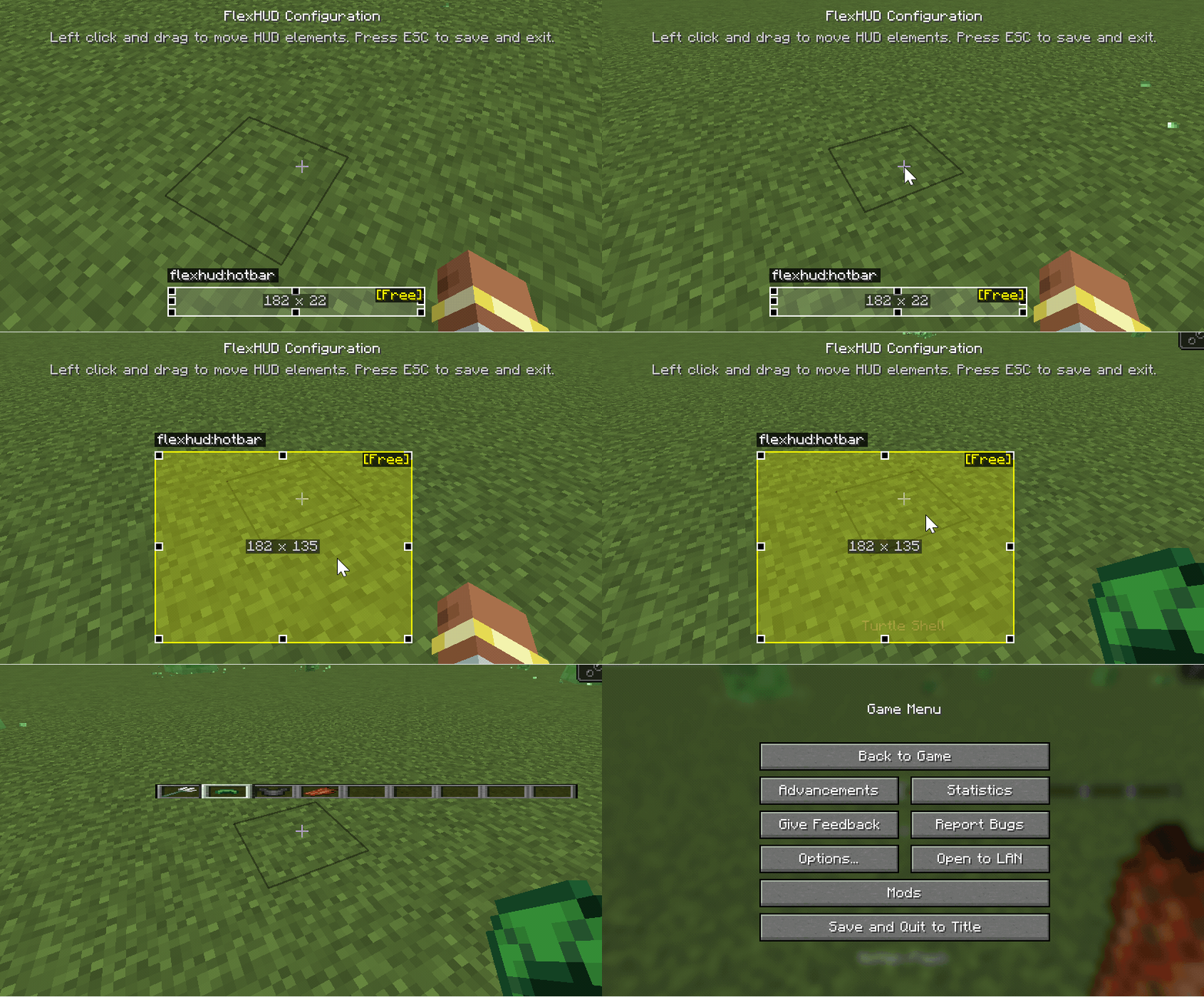
An extensible HUD layout and rendering library built on NeoForge. It uses “RelativeRect + Anchor” to describe HUD element positions and sizes in a resolution‑independent way, provides an interactive config screen for drag/resize with constraints, and persists layout to client config while auto‑recomputing on screen size changes.
Goals
- Describe HUD element position and size via
RelativeRectandAnchorso layouts are stable across resolutions/aspect ratios. - Expose a simple registration API: implement
Layer#renderto plug in your custom HUD element. - Provide a visual configuration screen (
FlexHudConfigScreen): drag to move, resize with handles;ResizeModecontrols constraints (Free, Aspect, Horizontal, Vertical, Fixed). - Persistence and hot‑update: use NeoForge
ModConfigto store and sync positions; changes apply immediately at runtime.
Quick Start
Register a freely resizable Hotbar HUD element:
public class BuiltInFlexHud {
    public static void registerHotbarHud() {
        ResourceLocation id = FlexHudApi.HOTBAR_ID; // unique element ID

        // Default relative rect: bottom-center anchor, width 182, height 22
        FlexHudApi.RelativeRect defaultRelativeRect = new FlexHudApi.RelativeRect(
                FlexHudApi.Anchor.BOTTOM_CENTER,
                0, 0,
                182, 22
        );

        // Render layer: draw using the computed absolute rect
        FlexHudApi.Layer hotbarLayer = (rect, guiGraphics, deltaTracker) -> {
            PoseStack pose = guiGraphics.pose();
            pose.pushPose();

            int screenWidth = guiGraphics.guiWidth();
            int screenHeight = guiGraphics.guiHeight();
            // Compute the vanilla hotbar default absolute rect from the default relative rect
            FlexHudApi.Rect defaultRect = defaultRelativeRect.toAbsolute(screenWidth, screenHeight);
            // Apply affine transform from defaultRect to the target rect for free move/scale
            pose.mulPose(defaultRect.transform(rect));

            ((GuiAccessor) Minecraft.getInstance().gui).callRenderHotbar(guiGraphics, deltaTracker);
            pose.popPose();
        };

        // Register with Free resize mode using the default relative rect and layer
        FlexHudApi.INSTANCE.register(id, FlexHudApi.ResizeMode.Free, defaultRelativeRect, hotbarLayer);
    }
}
At runtime, the library calls updateScreenDimensions() before rendering to convert each element’s RelativeRect into an absolute Rect for the current resolution and passes it to your Layer#render.
API Overview
FlexHudApi#register(ResourceLocation id, ResizeMode mode, RelativeRect defaultRect, Layer layer)- Register a HUD element; if a saved layout exists in config, it overrides the default.
FlexHudApi.Impl#updateElementRelativeRect(ResourceLocation id, RelativeRect newRect)- Update layout at runtime and persist; the config screen uses this.
FlexHudApi.Impl#updateScreenDimensions()- Recompute all absolute rects when screen size/aspect changes.
FlexHudApi.Layer#render(Rect rect, GuiGraphics g, DeltaTracker dt)- Render callback: draw using the provided absolute rect.
FlexHudApi.ResizeModeFree,Aspect(keep ratio),Horizontal,Vertical,Fixed.
FlexHudApi.Anchor- Nine‑grid anchors:
TOP_LEFT / TOP_CENTER / TOP_RIGHT / CENTER_LEFT / CENTER / CENTER_RIGHT / BOTTOM_LEFT / BOTTOM_CENTER / BOTTOM_RIGHT.
- Nine‑grid anchors:
FlexHudApi.RelativeRect- Fields:
anchor, offsetX, offsetY, width, height, useRelativeSize - Methods:
toAbsolute(int w, int h)to convert to absolute;fromAbsolute(Rect rect, Anchor a, int w, int h)to infer relative.
- Fields:
FlexHudApi.Rect#transform(Rect to)- Affine transform from source rect to target rect (translate + scale) to map existing drawing logic to the new position/size.
Visual Configuration
Press
Alt + Hin game to openFlexHudConfigScreen.Drag to move, resize with handles;
ResizeModedetermines constraints.Changes are persisted to client config (NeoForge
ModConfig), e.g.:[hud] relative_rects = [ "flexhud:hotbar|BOTTOM_CENTER|-2.9042664|-37.03853|188.19147|22.961472|false" ]
Requirements
Minecraft 1.21.1NeoForge 21.x(e.g.21.1.213)Java 21
License
- MIT (see build script / project config).
- Edition: Minecraft Java
- File type: .jar
- Minecraft version listed: 1.21.1
- How to install: Install the matching mod loader (Forge, Fabric or NeoForge) for your Minecraft version. → Download the .jar. → Put it in the .minecraft/mods folder and launch that loader profile.
- Where to get it: Opens on Modrinth — not every file is mirrored on our own servers.
Install steps are the general flow for this file type — How to install Minecraft Java mods & modpacks walks through it step by step.
- Ships as flexhud-1.0+1.21.1-neoforge.jar — drop this file into the mods folder
- Download size: 33 KB
- Download link checked 21 Oct 2026 — working
These come from our own check of the pack file, not from the source page.