
Advanced Inbox System for Minecraft
Overview
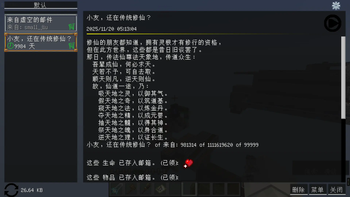
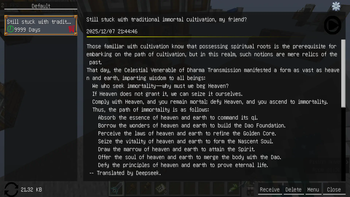
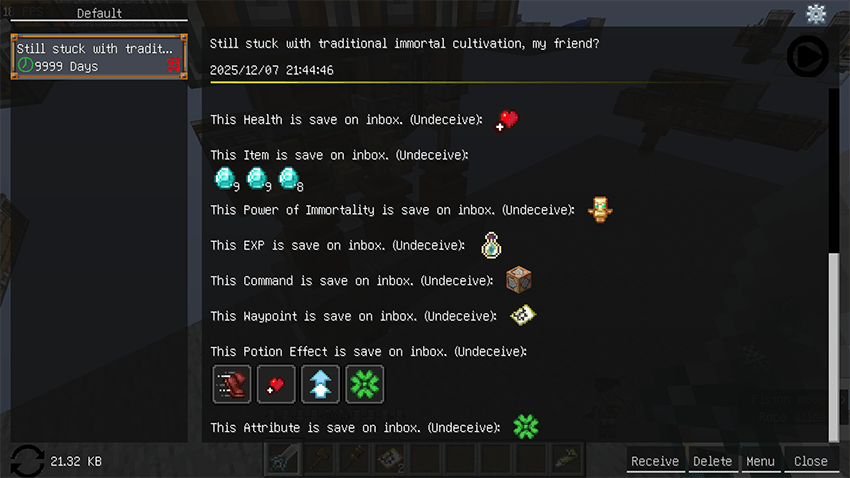
Inbox adds a fully-featured, customizable, and cross-dimensional mailbox system to Minecraft. Perfect for multiplayer servers, adventure maps, or solo worlds, it allows players to send and receive mail with rich attachments—even when offline—bridging communication and item exchange like never before.
✨ Core Features & Highlights
📬 True Offline Delivery
Send mail to players who are offline. The mail waits securely in the server's data until they log in.🎁 Rich Mail Attachments
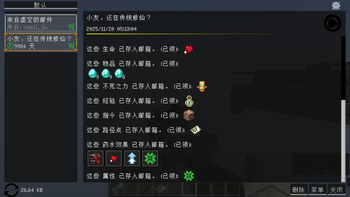
Attach almost anything to your mail: Items, Experience Orbs, Status Effects, Entity Attributes, Map Waypoints, and Commands. Perfect for distributing rewards, quest items, or server rules. You can also include custom text and Audio Files (.mp3) to create immersive storytelling or tutorials (requires the audio file to exist on the client).🖥️ Flexible & Customizable Interface
Access the main mailbox UI from multiple locations: the top-right of the chat box, bottom-right of the creative inventory, or the top-left of the player model in the survival inventory. The interface is fully draggable and repositionable.⚙️ Powerful Management & Automation
Blacklist: Block any player from sending you mail.
Send History: Frequently used recipients are saved for quick resending.
Scheduled Mails: Set up automated mails to be sent to all online players, all known players, or specific groups at timed intervals. Ideal for announcements or timed rewards.
Fully Configurable: Control permissions via whitelist/blacklist, adjust storage limits, and more through config files.
🛡️ Built for Server Admins & Creators
Command Block & API Support: Integrate mail sending into adventures, datapacks, or other mods via commands or the developer API.
Secure & Organized Storage: All player mail is stored server-side in separate files per UUID, ensuring security and preventing clutter. Supports both global and per-world storage modes.
🔧 How to Use
Access the GUI: Look for the mailbox icon in your chat screen (top-right), creative inventory (bottom-right), or survival inventory (near your player offhand slot).
Compose a Mail: Click "Compose", add a recipient, title, message, and drag items into the attachment slot. Then hit send!
Check Your Inbox: New mails appear here. Open them to claim attachments.
Admin Command Example:
Send an item to a player:
/email send <player> <json_file>Schedule a mail: Edit files in
/config/jiu/inbox/data/scheduled_emails.json
✅ Why Choose This Mod?
If you need a reliable, feature-packed mailing system that works flawlessly for server economies, adventure maps, community events, or player-to-player trade, Inbox is the optimal solution. It combines the ease of use of a plugin with the deep integration and flexibility of a mod.
Note: For bug reports, feature requests, or support for newer Minecraft versions, please visit the GitHub page (link usually found on CurseForge/Modrinth). Feedback is welcome!
Minecraft的高级邮件系统
概述
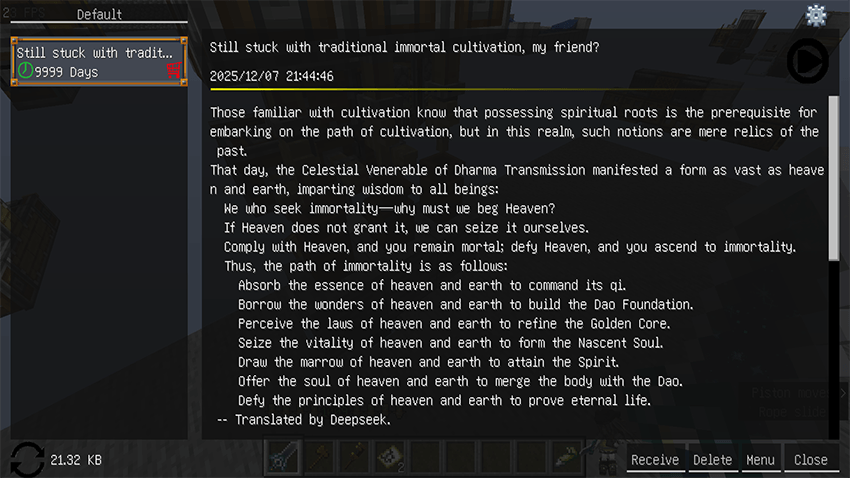
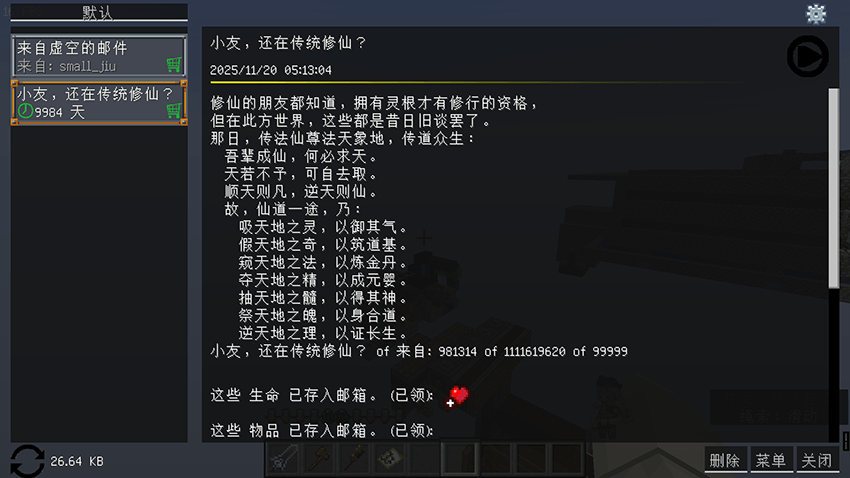
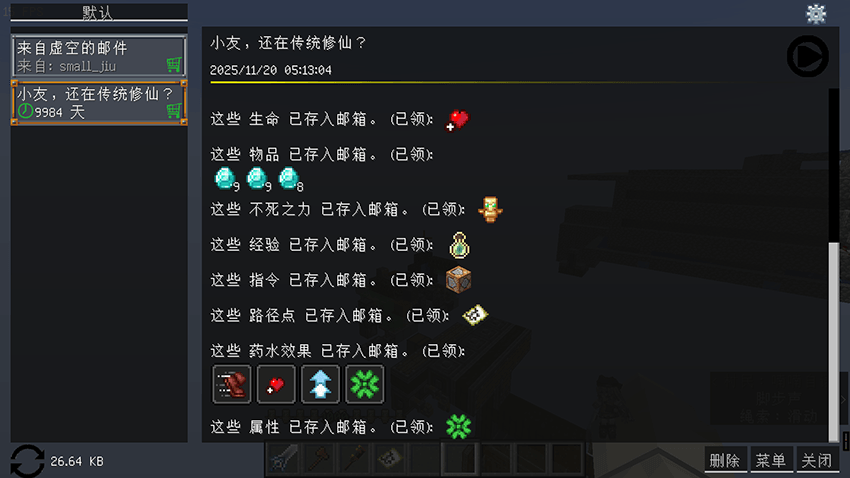
邮箱模组为Minecraft添加了一个功能全面、可定制且跨维度的邮件系统。无论是多人服务器、冒险地图还是单人世界,它都允许玩家发送和接收带有丰富附件的邮件,即使对方离线也能送达,以前所未有的方式连接玩家间的交流与物品交换。
✨ 核心功能与亮点
📬 真正的离线发送
邮件可发送给离线玩家,并安全地存储在服务器中,直到他们上线领取。🎁 丰富的邮件附件
你可以为邮件附加几乎所有东西:物品、经验球、药水效果、 实体属性、 地图路径点, 甚至指令。是分发奖励、任务物品或服务器规则的完美工具。你还可以在邮件中加入自定义文本和音频文件 (.mp3),用于创建沉浸式的剧情或教程(需要客户端存在对应的音频文件)。🖥️ 灵活可定制的界面
你可以从多个位置访问主邮箱界面:聊天框的右上角、创造模式物品栏的右下角,或者生存模式物品栏中玩家模型的左上角。界面支持完全拖拽和自定义位置。⚙️ 强大的管理与自动化
黑名单功能: 阻止特定玩家向你发送邮件。
发送历史: 自动保存常用收件人,方便再次快速发送。
定时邮件: 设置自动邮件,按固定时间间隔发送给所有在线玩家、所有已知玩家或特定组别。非常适合公告或定时奖励。
全面可配置: 通过配置文件使用白名单/黑名单控制权限、调整存储上限等。
🛡️ 专为服务器管理员与创作者打造
命令方块与API支持: 通过命令或开发者API,将邮件发送功能集成到冒险地图、数据包或其他模组中。
安全有序的存储: 所有玩家邮件均按UUID独立存储在服务端,确保安全并防止数据混乱。支持全局和按世界存档两种存储模式。
🔧 使用方法
访问界面: 在你的聊天界面(右上角)、创造模式物品栏(右下角) 或生存模式物品栏(玩家副手栏附近) 寻找邮箱图标。
撰写邮件: 点击“撰写”,添加收件人、标题、正文,并将物品拖入附件栏,然后点击发送!
查收邮件: 新邮件会在此显示。打开邮件以领取附件。
管理员指令示例:
向玩家发送一个物品:
/email send <玩家名> <json文件>设置定时邮件:编辑
/config/jiu/inbox/data/scheduled_emails.json文件。
✅ 为什么选择这个模组?
如果你正在为服务器经济、冒险地图、社区活动或玩家间交易寻找一个可靠、功能丰富且运行完美的邮件系统,那么“邮箱”模组是最佳选择。它既具备插件般的易用性,又拥有模组特有的深度集成性和灵活性。
注意: 如需提交错误报告、功能请求,或获取对新Minecraft版本的支持,请访问 GitHub 页面(链接通常在CurseForge/Modrinth页面上)。欢迎反馈!
- Edition: Minecraft Java
- File type: .jar
- Minecraft versions listed: 1.20.1, 1.20.2, 1.20.3
- How to install: Install the matching mod loader (Forge, Fabric or NeoForge) for your Minecraft version. → Download the .jar. → Put it in the .minecraft/mods folder and launch that loader profile.
- Where to get it: Opens on Modrinth — not every file is mirrored on our own servers.
Install steps are the general flow for this file type — How to install Minecraft Java mods & modpacks walks through it step by step.
- Ships as Inbox-1.20.1-1.2.1-all.jar — drop this file into the mods folder
- Download size: 3.3 MB
- Download link checked 10 Sept 2026 — working
These come from our own check of the pack file, not from the source page.