
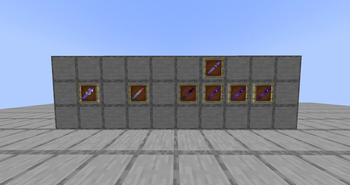
Wands
All the wands have in-game instructions of how to use (tooltips).
Custom
Basically a portable command block (an empty one does nothing).
- Impulse mode executes its stored command once per click.
- Repeat mode executes its stored command repeatedly when its toggled.
- Chained mode executes all its stored commands once.
TPSwap
Swaps the position of 2("normal" mode) or more(Team mode) players
Trivia
With the first toggle teleports all the players to the previously configurated position and dimension. With the second toggle teleports all the players to their original positions and dimentions. (You can force the execution of one if a player still on an unexpected site {this does not affect the "toggle order"}).
Commands
/fuyutils wands tpswap {true / false}
Toggles the Team Mode in the world (for tpswap wands).
/fuyutils wands trivia setpos
Sets the trivia cords to the executor's position(xyz).
/fuyutils wands impulse "{command}"
Sets a custom wand's command and sets it in "Impulse" mode if it wasn't in that mode yet (if you dont have a custom wand on your main hand it will give a new one automatically).
/fuyutils wands repeat "{command}"
Same than the above one but with "Repeat" mode.
/fuyutils wands chained add "{command}"
Adds a command to a chained custom wand (if you have an empty one it will set it on "Chained" mode automatically).
/fuyutils wands chained edit {index} "{command}"
Replaces the command alocated in the specified index with the specified one
/fuyutils wands chained remove {index}
Removes the command alocated in the specified index
/fuyutils cloneItem {targets:players}
Gives the selected players a clone of your main hand item (this was added just as a "temporal" solution to give another player a determinated custom wand without being close)
[dont use] /fuyutils settings overridePlayerPerms {true/false}
This was just implemented if you want or not to a player without a perms could execute a command stored in a custom wand.
Xtra notes
This mod will be abandoned soon, feel free to use the source code to any other things.
- Edition: Minecraft Java
- File type: .jar
- Minecraft version listed: 1.20.1
- How to install: Install the matching mod loader (Forge, Fabric or NeoForge) for your Minecraft version. → Download the .jar. → Put it in the .minecraft/mods folder and launch that loader profile.
- Where to get it: Opens on Modrinth — not every file is mirrored on our own servers.
Install steps are the general flow for this file type — How to install Minecraft Java mods & modpacks walks through it step by step.
- Ships as fuyukas_utilities-1.0.0-forge-1.20.1.jar — drop this file into the mods folder
- Download size: 119 KB
- Download link checked 20 Aug 2026 — working
These come from our own check of the pack file, not from the source page.