
⬛ Zeroday Style Hotbar
[ Join Discord ] [ Report Issue ]
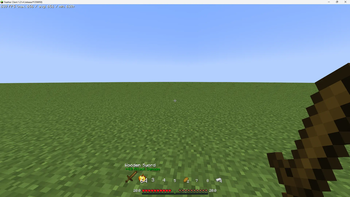
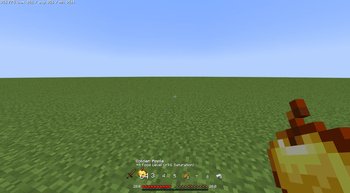
A Minecraft Fabric mod that revamps the hotbar and item tooltips, giving a sleek, modern, and highly readable interface. Customize your hotbar display and see detailed information about items, armor, tools, swords, food, and your status bar.
🌟 Features
- Detailed Tooltips: Show extra information for Armor, Swords, Tools, and Food.
- Armor: Max/Min Damage Reduction, or Disable.
- Sword: Attack Damage, or Disable.
- Tool: Mining Efficiency, or Disable.
- Food: Food Level, Saturation, Both, or Disable.
- Detailed Status Bar: Display XP Progress, Saturation, and Total Health dynamically.
- Fully Configurable: All settings are accessible via Mod Menu.
- Enable/Disable Entire Mod: Quick toggle for turning the mod on or off.
⚙️ Configuration
This mod provides various settings via Mod Menu.
Click to expand.{
"status": true,
"detailedTooltip": {
"status": true,
"armor": "MAX_DAMAGE_REDUCTION",
"sword": "ATTACK_DAMAGE",
"tool": "MINING_EFFICIENCY",
"food": "FOOD_LEVEL"
},
"detailedStatusBar": {
"status": true,
"showDetailedExperience": true,
"showSaturation": true,
"showTotalHealth": true
}
}
📥 Installation
- Download & Install Fabric: Make sure you have Fabric Loader installed.
- Get the Latest Release: Download the mod from Modrinth.
- Move the Mod to
modsFolder: Place the.jarfile inside yourmodsfolder. - Launch the Game: Start Minecraft with Fabric and enjoy your upgraded hotbar and detailed tooltips!
⚙️ Dependencies
- Minecraft: 1.21.4
- Required:
- Suggests:
🌐 Language
- Traditional Chinese
- English
💖 Credits
Developed by ch1ck3n-ovo.
📜 License
This mod is licensed under GPL-3.0 License.
Enhance your Minecraft experience with a modern hotbar and detailed information at a glance!
Quick facts
- Edition: Minecraft Java
- File type: .jar
- Minecraft version listed: 1.21.4
- How to install: Install the matching mod loader (Forge, Fabric or NeoForge) for your Minecraft version. → Download the .jar. → Put it in the .minecraft/mods folder and launch that loader profile.
- Where to get it: Opens on Modrinth — not every file is mirrored on our own servers.
Install steps are the general flow for this file type — How to install Minecraft Java mods & modpacks walks through it step by step.
Verified by MCModsHub
- Ships as ZerodayStyleHotbar-b4+1.21.4.jar — drop this file into the mods folder
- Download size: 43 KB
- Download link checked 20 Aug 2026 — working
These come from our own check of the pack file, not from the source page.