
Craftlings
Java mod listed for Minecraft 1.21. Downloads from the MC Java Mods app on Android.
Summon fantasy themed mobs and watch them clash in epic free for all battles, or set up full scale wars in custom arenas.
⬇ Download on Modrinth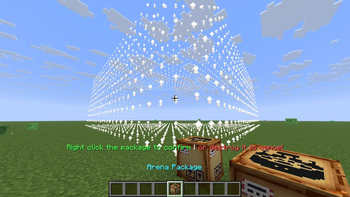
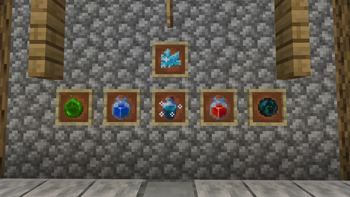
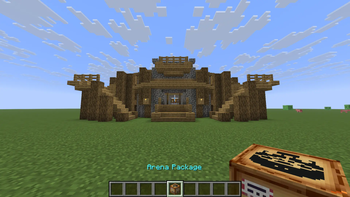
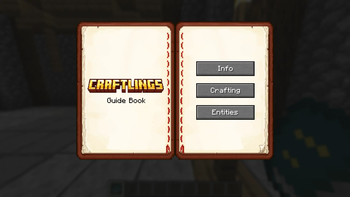
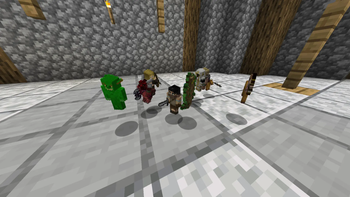


Craftlings is a sandbox battle mod that brings chaotic miniature warfare into Minecraft. Spawn fantasy themed Craftlings, and unleash epic battles from small battles to full scale arena wars.
Whether you’re in creative mode designing arenas or in survival mode collecting items, Craftlings makes every world feel alive with tiny armies and strategic fun. And yes, it’s fully multiplayer compatible, so you and your friends can join the chaos together! You will see battles spawning around your survival world time to time so you can encounter them in the wild!

- Miniature Armies – Summon Craftling mobs and watch them battle it out.
- Arena Battles – Build battlegrounds and host tournaments.
- Survival Integration – Acquire items naturally in survival mode.
- Shrink Mechanic – Shrink down to Craftling size for a new perspective.
- Player Control – Take direct control of your Craftlings with special items.
- Battle Management – Purge fights, recall armies, or reset the battlefield anytime.
- Multiplayer Compatible – Spawn mobs, build arenas, and battle with friends.

Craftlings isn’t just about mobs fighting — it’s about creativity, strategy, and hilarious chaos.
Host tournaments, recreate massive wars, or simply watch tiny armies tear each other apart.
Bring fantasy warfare to life, one Craftling at a time.

🔹 Easiest Method (Recommended)
- Download the Modrinth App
- The app automatically manages mods, updates, and loaders for you.
- Search for Craftlings in the app and click Install.
- The correct version of NeoForged will be set up automatically.
- Launch Minecraft and enjoy miniature battles! 🎉
🔹 Manual Method
Install NeoForged
- Download the recommended version of NeoForged for your Minecraft version.
- Run the installer and set it up.
Download Craftlings
- Get the latest
.jarfrom the [Files] tab above.
- Get the latest
Place in Mods Folder
- Go to your Minecraft installation directory.
- Open (or create) the
modsfolder. - Drop the
craftlings-<version>.jarfile inside.
Launch Minecraft
- Start Minecraft with the NeoForged profile.
- Craftlings should appear in your mods list!
Tips:
- Make sure both NeoForged and Craftlings are for the same Minecraft version (e.g.
1.21.8). - For multiplayer servers, install Craftlings on both the client and the server.

All Rights Reserved
- The source code of Craftlings is currently closed and not publicly available.
- You may not access, modify, decompile, or redistribute the code or binaries without explicit written permission from the author.
- Redistribution of the mod outside of official channels (e.g., Modrinth, CurseForge, or the author’s pages) is strictly prohibited.
🔒 Note: The source code may be made publicly available in the future, but until then it remains fully closed. Please respect the author’s decision and the work that has gone into this project.
- Edition: Minecraft Java
- File type: .jar
- Minecraft version listed: 1.21.8
- How to install: Install the matching mod loader (Forge, Fabric or NeoForge) for your Minecraft version. → Download the .jar. → Put it in the .minecraft/mods folder and launch that loader profile.
- Where to get it: Opens on Modrinth — not every file is mirrored on our own servers.
Install steps are the general flow for this file type — How to install Minecraft Java mods & modpacks walks through it step by step.
- Ships as craftlings-1.0.0.jar — drop this file into the mods folder
- Download size: 3.1 MB
- Download link checked 21 Oct 2026 — working
These come from our own check of the pack file, not from the source page.