
MineAgent
MineAgent is a Minecraft AI assistant mod built with Architectury (multi-loader). It provides an in-game chat interface to an LLM-powered agent that can…
⬇ Download on Modrinth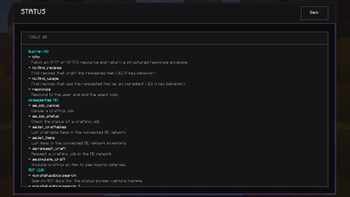
MineAgent
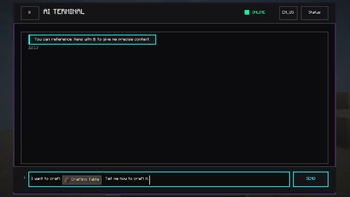
MineAgent is an in-game AI assistant for Minecraft 1.20.1. It gives you an AI Terminal that lets you chat with an agent, search crafting information, manage chat sessions, and approve or deny actions before they run.
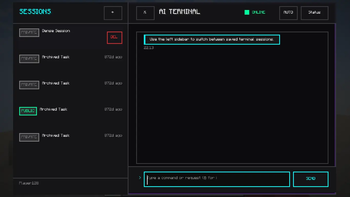
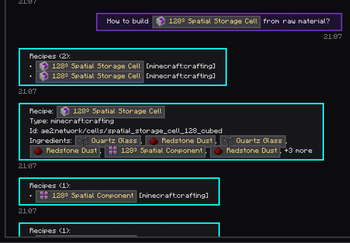
Check our gallery for the screenshots!
Open MineAgent
You can open the AI Terminal in two ways:
- Run
/mineagent open - Press
K(default keybind: Open AI Terminal)
What MineAgent can do
Chat with an in-game AI assistant
Use the AI Terminal like a chat window inside Minecraft. You can ask questions, send requests, and get answers directly in the terminal UI.
Search crafting information
MineAgent can look up:
- recipes that craft an item
- recipes that use an item as an ingredient
This is useful when you want quick crafting help without leaving the game.
Manage saved sessions
MineAgent keeps chat sessions so you can continue earlier conversations instead of starting over every time. Sessions can be created, reopened, renamed, deleted, and shared with different visibility settings.
Ask for approval before actions
When the assistant wants to perform an action that should not run automatically, MineAgent shows an approval step in the terminal. You can approve or deny the action before it continues.
Use extra tools when configured
The base mod includes built-in Minecraft recipe tools. If you configure additional integrations, MineAgent can also:
- fetch data with the HTTP tool
- load external MCP tools from your local configuration
First-time setup
If you want MineAgent to talk to an LLM service, start with:
config/mineagent/llm.toml— model and LLM connection settings
If you want MineAgent to load MCP tools, use:
config/mineagent/mcp.json— MCP server and tool configuration
If you want to customize prompts, use:
config/mineagent/prompts/— prompt override files
Optional extensions
The official extensions for AE2 (to extend the tools) and Matrix (to host a bridge to Matrix) are still in WIP. Keep updated!
- Edition: Minecraft Java
- File type: .jar
- Minecraft version listed: 1.20.1
- How to install: Install the matching mod loader (Forge, Fabric or NeoForge) for your Minecraft version. → Download the .jar. → Put it in the .minecraft/mods folder and launch that loader profile.
- Where to get it: Opens on Modrinth — not every file is mirrored on our own servers.
Install steps are the general flow for this file type — How to install Minecraft Java mods & modpacks walks through it step by step.
- Ships as mineagent-0.0.1-fabric-1.20.1.jar — drop this file into the mods folder
- Download size: 8.7 MB
- Download link checked 10 Sept 2026 — working
These come from our own check of the pack file, not from the source page.