

Plunder Mod
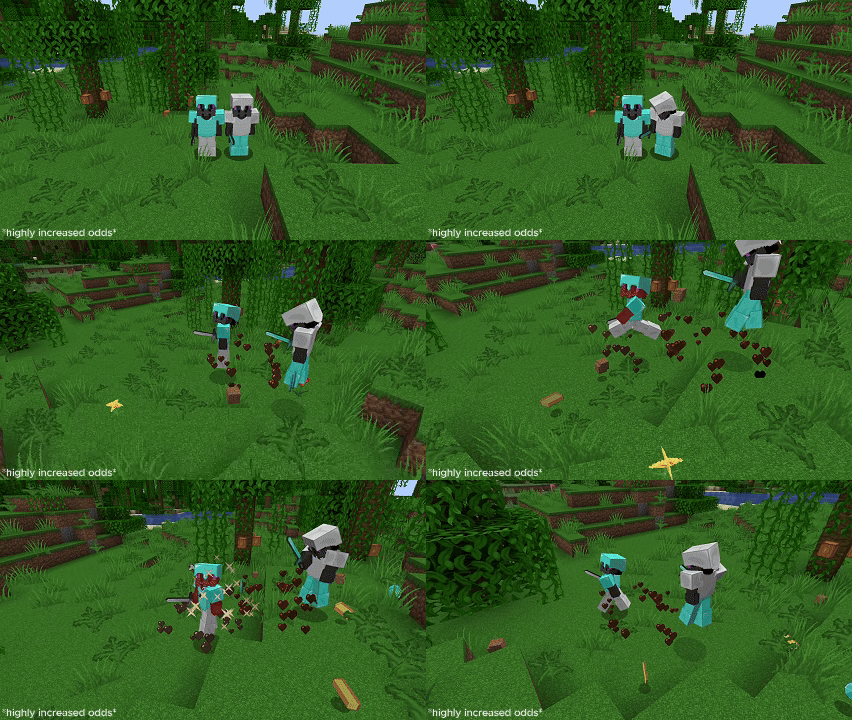
Whenever a player takes damage, whether from PVP or from natural causes (configurable), they have a chance to drop some of the items from their inventory onto the ground. Steal others items in already chaotic PVP!
Features
- Fully customizable with over 15 configuration options!
- Customizable drop rates for every item, only needing to edit a simple JSON file.
- Particles to highlight when a player has dropped some of their items.
- Reloadable configuration without having to restart the server. (Command: /plunderreload)
Usage/Download
Download the mod on the Modrinth website and put it in your servers mod folder.
To create custom odds for any item, navigate to the /mods/plunder/odds.json file. To create a custom drop chance, replace the "item" with the Minecraft item ID of your desired item, and replace the chance with your desired drop chance (0.1 being 10%).
{
  "dropOdds": [
    {
      "item": "diamond",
      "chance": 0.05
    },
    {
      "item": "netherite_ingot",
      "chance": 0
    },
    {
      "item": "stone",
      "chance": 0.1
    },
    {
      "item": "gold_ingot",
      "chance": 0
    }
  ]
}
Additionally, you can configure the /mods/plunder/configuration.properties file to configure when items are dropped, the default drop chances, and the particles.
# Default drop chance for armor pieces (if not configured in odds.json)
armorDropChance = 0.01

# Default drop chance for tools (if not configured in odds.json)
toolDropChance = 0.01

# Default drop chance for all other items/blocks/etc. (if not configured in odds.json)
itemDropChance = 0.01

# Maximum amount of items that can dropped from a single stack (max 64)
maxDropAmount=12

# How long should the delay be for picking up items after they have been dropped? (in ticks)
pickUpTime=20
...
Demo
- Edition: Minecraft Java
- File type: .jar
- Minecraft version listed: 1.21.4
- How to install: Install the matching mod loader (Forge, Fabric or NeoForge) for your Minecraft version. → Download the .jar. → Put it in the .minecraft/mods folder and launch that loader profile.
- Where to get it: Opens on Modrinth — not every file is mirrored on our own servers.
Install steps are the general flow for this file type — How to install Minecraft Java mods & modpacks walks through it step by step.
- Ships as Plunder-1.0.jar — drop this file into the mods folder
- Download size: 56 KB
- Download link checked 20 Aug 2026 — working
These come from our own check of the pack file, not from the source page.