

Debug Block Collision Overlay Reloaded

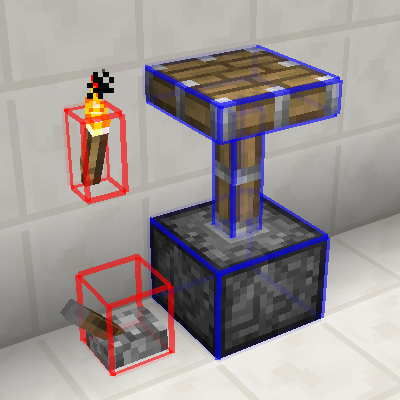
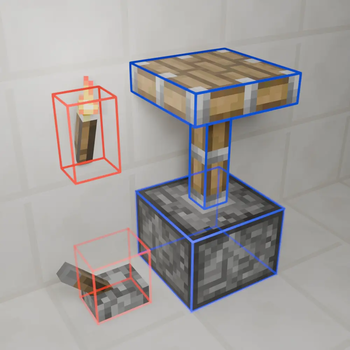
A client-side mod that adds a new F3 debug overlay showing you exact block collisions.
About
Original Mod's Github - Original Mod's Curseforge
Features
- Toggleable overlay, default keybind
F3 + O. - Multiple overlay modes, default keybind
F3 + I. - Config file which allows you to set the overlay mode, the level of chat feedback and line rendering settings.
- In-game configuration through Forge that is dynamicly reloaded.
- Has been tested with Cleanroom Loader (0.4.2-alpha) and Celeritas.
Usage
The main way to interact with this mods is by using the F3 + KEY keybinds which by default are F3 + O to toggle the overlay on/off and F3 + I to change the overlay mode.
There is also a config file which is dynamicly reloaded and can be edited in game or on the main menu.
Why
Well working on ProjectE-Charms I had to create some custom collision for a block but was having trouble visualizing the boxes so I looked on curseforge for mod that would help me do that, I ended up on Debug Block Collision's Curseforge so I downloaded it. After I had used it for a little bit on the Cleanroom Mod Loader I noticed a few main issues:
- The keybind handling had broken debouce (actually a Cleanroom issue with modifier keys).
- Toggling modes was clunky since there was only one keybind.
- And the text and formatting could do with some improvement.
All of this inspired me to improve this mod by adding a second keybind, improving Cleanroom compatibility and rewriting the lang file; so I did.
Modpacks
You don't need to ask permission or anything to use this in your modpack.
Issues
If you notice an issue and want to make me aware please report them on the project's Github issues tab.
- Edition: Minecraft Java
- File type: .jar
- Minecraft version listed: 1.12.2
- How to install: Install the matching mod loader (Forge, Fabric or NeoForge) for your Minecraft version. → Download the .jar. → Put it in the .minecraft/mods folder and launch that loader profile.
- Where to get it: Opens on Modrinth — not every file is mirrored on our own servers.
Install steps are the general flow for this file type — How to install Minecraft Java mods & modpacks walks through it step by step.
- Ships as DebugBlockCollisionReloaded-2.1.1.jar — drop this file into the mods folder
- Download size: 289 KB
- Download link checked 11 Sept 2026 — working
These come from our own check of the pack file, not from the source page.