
WheelAction
Lightweight utility that lets you execute custom commands by middle-clicking a player's name in chat. No more manual typing; just point, click, and run.
⬇ Download on Modrinth


⚙️ WheelAction
WheelAction is a lightweight, client-side utility that makes interacting with players via chat instantaneous. No more manually typing out long or complex nicknames—one click is all it takes to get things done.
✨ Features
- Quick Input: Press the Middle Mouse Button (Scroll Wheel) on a player's name in the chat to automatically insert it into your chat bar.
- Smart Pasting: The mod instantly grabs the selected player's name, saving you time during intense gameplay or trading.
- Fully Customizable: Configure which command is triggered upon clicking (e.g.,
/msg,/tpa,/pay, or any custom command). - Minimalist Design: No cluttered UI, no extra overlays, and zero impact on game performance.
🖼️ Screenshots
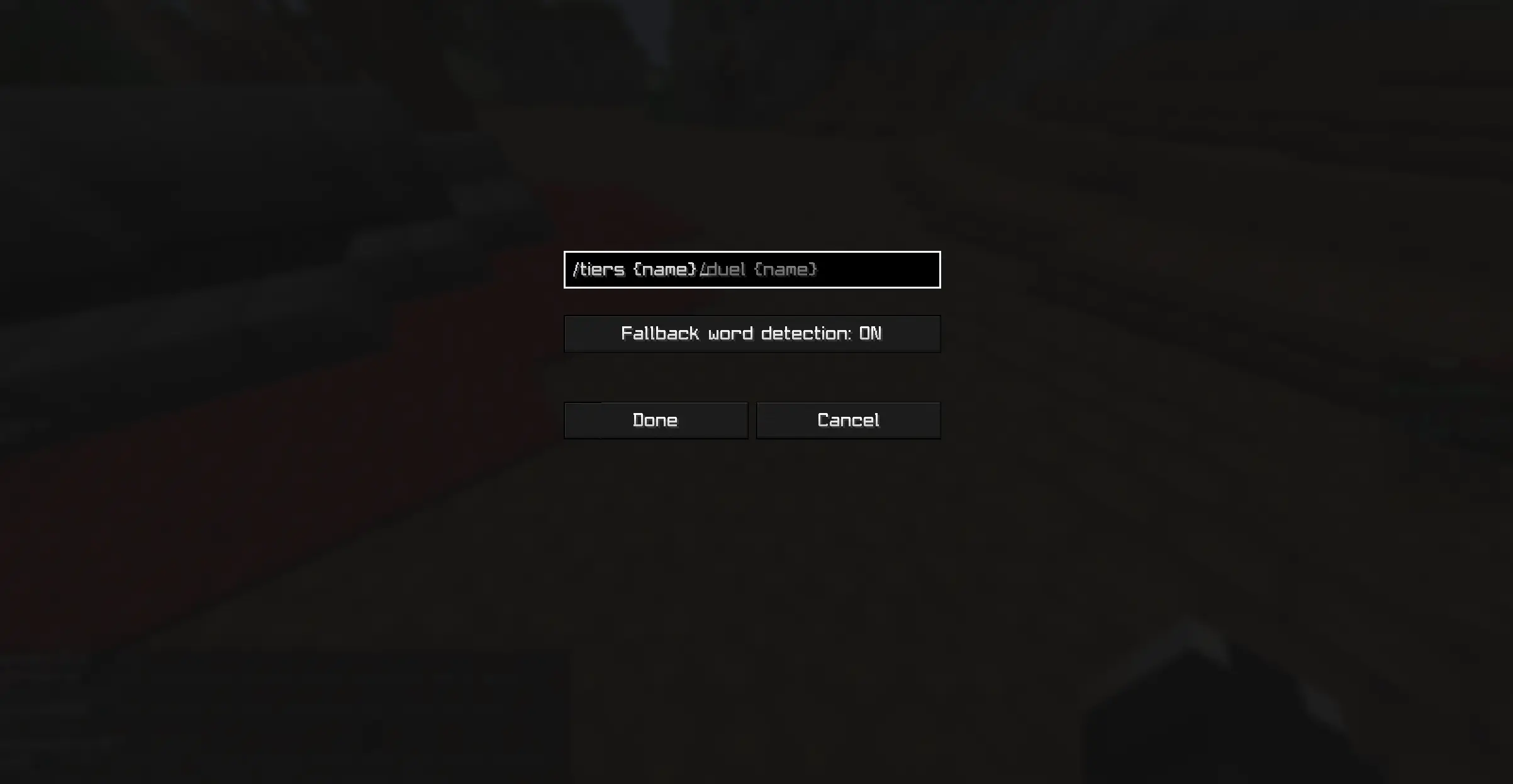
🛠️ Configuration
By default, middle-clicking a name prepares a private message command (/duel ). You can change this behavior:
For Fabric: You need to install Mod Menu to access the settings screen in-game.
📥 Installation & Compatibility
- Client-side only: This mod is only required on your computer. It does not need to be installed on the server.
- Loaders: Supports Fabric
- Dependencies:
- Fabric: Requires Fabric API.
🛡️ License
This project is licensed under CC BY-ND 4.0 (Creative Commons Attribution-NoDerivatives 4.0 International).
- Modpacks: You are free to include this mod in any modpack.
- Modifications: You are not allowed to distribute modified versions of the code or binaries without explicit permission.
💬 Support & Feedback
Found a bug? Have a suggestion for a new feature?
- Discord: Join our server
- Donate: Support the development on Boosty
📜 Credits
- Discord and Modrinth icons taken from tr7zw.
- Edition: Minecraft Java
- File type: .jar
- Minecraft version listed: 1.21.4
- How to install: Install the matching mod loader (Forge, Fabric or NeoForge) for your Minecraft version. → Download the .jar. → Put it in the .minecraft/mods folder and launch that loader profile.
- Where to get it: Opens on Modrinth — not every file is mirrored on our own servers.
Install steps are the general flow for this file type — How to install Minecraft Java mods & modpacks walks through it step by step.
- Ships as wheelaction-1-1.21.4.jar — drop this file into the mods folder
- Download size: 430 KB
- Download link checked 11 Sept 2026 — working
These come from our own check of the pack file, not from the source page.