![Configurable Client Tweaks [CCT]](https://cdn.modrinth.com/data/6J8cMYuO/f7e207ba4078e2fd72afe91a9d8017cdf787173a.png)
Configurable Client Tweaks [CCT]
Java mod listed for Minecraft 1.21. Downloads from the MC Java Mods app on Android.
⬇ Download on Modrinth![Configurable Client Tweaks [CCT] — screenshot 1](https://cdn.modrinth.com/data/6J8cMYuO/images/743a7dc98003ab11411b3091a55061e96ba2f81b_350.webp)
![Configurable Client Tweaks [CCT] — screenshot 2](https://cdn.modrinth.com/data/6J8cMYuO/images/1033d2d6fe52e73f1b8860c8376176521965a81b_350.webp)
Configurable Client Tweaks [CCT]
Current (Optional) Features:
First-Person:
- Make health shown as a bar instead of in half-hearts
- Change On Fire overlay postion (like height)
- Change Shield Positions (all 3 directions)
- Change Item Positions (all 3 directions)
Cosmetics:
- Display Particles around you
Current particles:
Enderman
Flame
Soul flame - Display a custom Cape model
- Display a custom model on your head
- Display a custom model on your body
Back-Item
- Display a item on your back (change position and rotation at will
- Display an extra model (requires resourcepacks, see below)
Loading Models:
Loading models is done via Resourse Packs.
Models are loaded with item models under "namespace/items/item_model.json"
Example:
If you made a item model and saved it as "cct/items/backpack.json" (this is in the mod by default),
then the model should be loaded like this in-game:
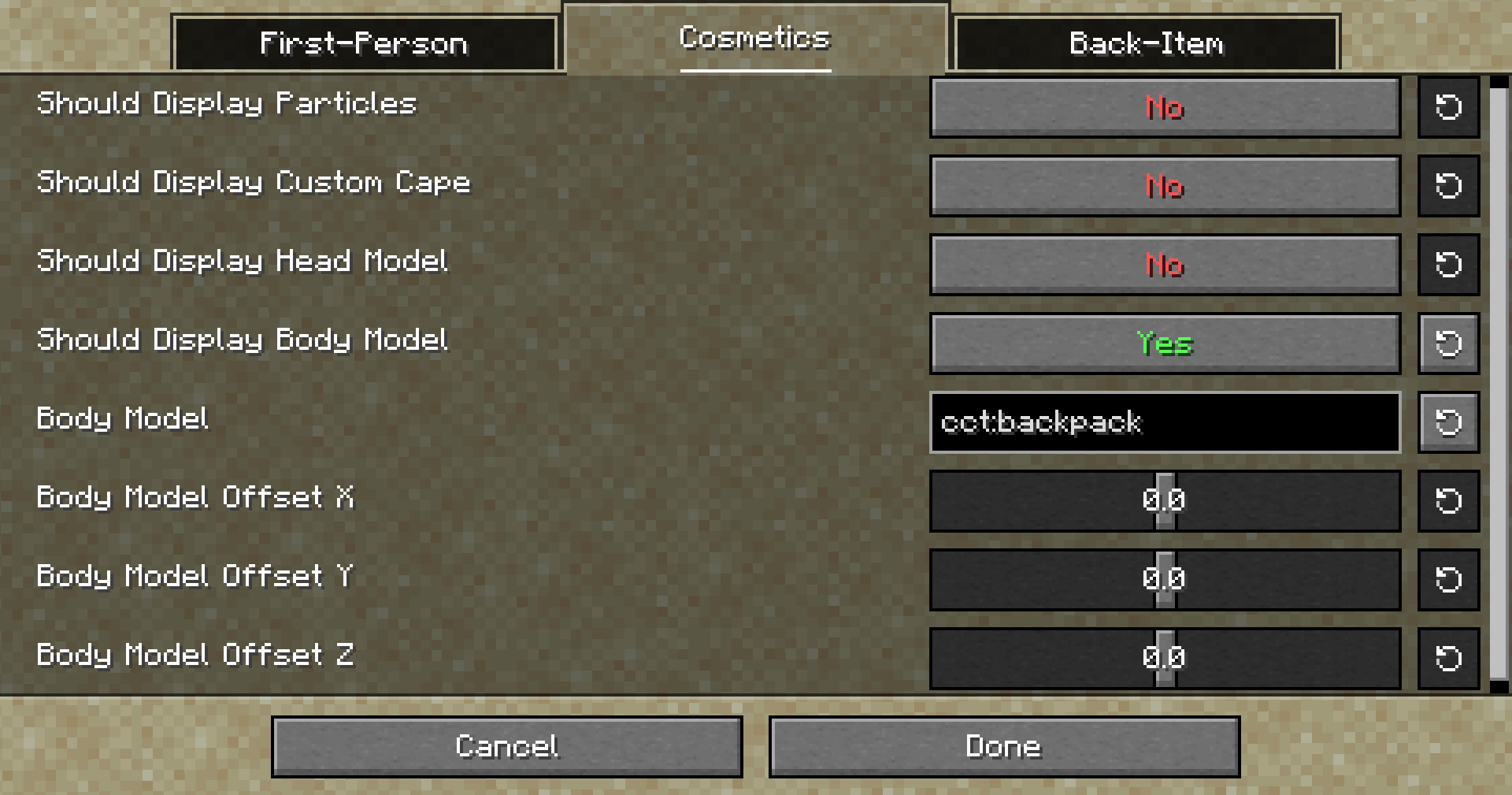 (Animations are supported)
Loading an Extra model for Back-Items:
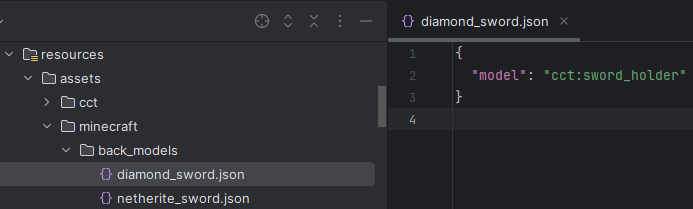
This can be done via the config, or Resourse Packs, but this time you want to make a new folder called "back_models" under your namespace, then put in a new json named after your item.
(Example: "minecraft/back_models/diamond_sword.json")
Inside you will be able to set a item model to render when that item is set as a back-item.
Example:
- Edition: Minecraft Java
- File type: .jar
- Minecraft version listed: 1.21.5
- How to install: Install the matching mod loader (Forge, Fabric or NeoForge) for your Minecraft version. → Download the .jar. → Put it in the .minecraft/mods folder and launch that loader profile.
- Where to get it: Opens on Modrinth — not every file is mirrored on our own servers.
Install steps are the general flow for this file type — How to install Minecraft Java mods & modpacks walks through it step by step.
- Ships as cct-1.0.0.jar — drop this file into the mods folder
- Download size: 104 KB
- Download link checked 21 Oct 2026 — working
These come from our own check of the pack file, not from the source page.