
PinperLauncher
Java mod listed for Minecraft 1.21. Downloads from the MC Java Mods app on Android.
⬇ Download on ModrinthPinperLauncher
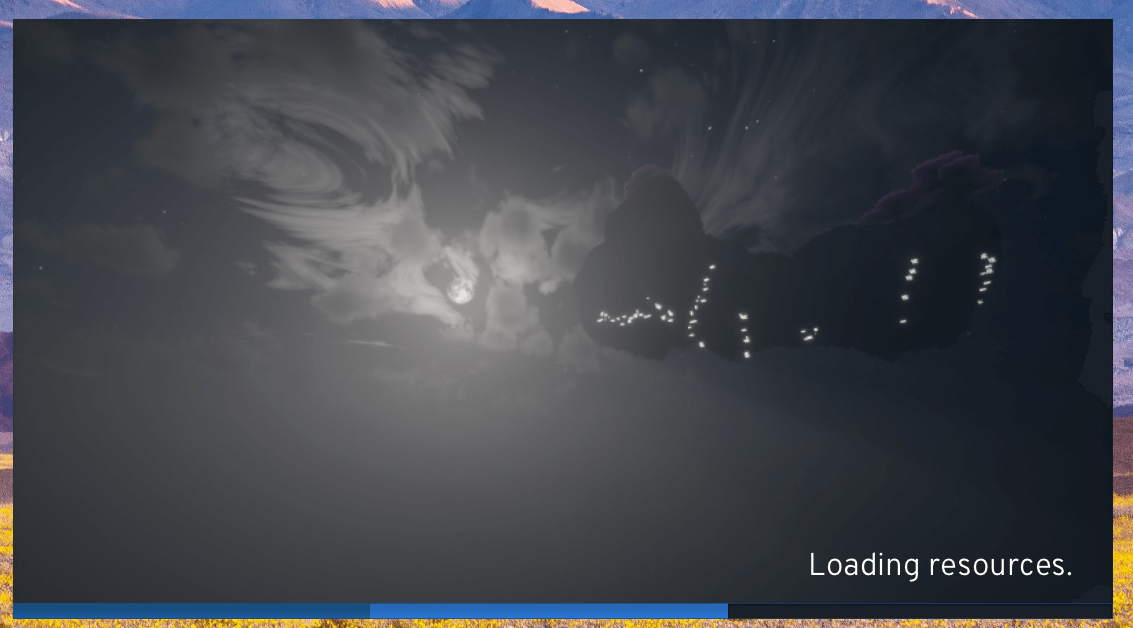
An entertainment oriented NeoForge EarlyWindow implementation.
During certain holidays, Pinper will display specific startup text and background images.
Usage
Open config/fml.toml and setearlyWindowProvider = "pinperearlywindow"
Custom Background Image
Requirements: 800×450 resolution, PNG format.
Name the file pinper.png and place it in the config directory.
Custom Font
Requirements: TrueType font.
Name the file pinper.ttf and place it in the config directory.
Compatibility
Pinper is not compatible with any mods that modify the loading progress bar or the EarlyWindow system.
Support
Pinper is an entertainment-oriented mod and does not accept any compatibility or bug reports.
Credits
- Merlin1809/Eclipse-Shader — Used as the shader for Pinper’s default background image.
- WATERFORCE99/Bliss-Shader-BSPT — Used as the shader for Pinper’s default background image.
- SonicallGameX/2ks — Used as the shader for Pinper’s default background image.
- Halloween Mash-up — Used as the resource pack for Pinper’s default background image.
- RedHatOfficial/Overpass — Used as the default font in Pinper.
License
Copyright (C) 2025 404Setup. Redistribution is not allowed.
- Edition: Minecraft Java
- File type: .jar
- Minecraft version listed: 1.21.1
- How to install: Install the matching mod loader (Forge, Fabric or NeoForge) for your Minecraft version. → Download the .jar. → Put it in the .minecraft/mods folder and launch that loader profile.
- Where to get it: Opens on Modrinth — not every file is mirrored on our own servers.
Install steps are the general flow for this file type — How to install Minecraft Java mods & modpacks walks through it step by step.
- Ships as pinperlauncher-252.0.jar — drop this file into the mods folder
- Download size: 3.6 MB
- Download link checked 21 Oct 2026 — working
These come from our own check of the pack file, not from the source page.