
Illcalibour's AI Chat
Java mod listed for Minecraft 1.21. Downloads from the MC Java Mods app on Android.
⬇ Download on Modrinth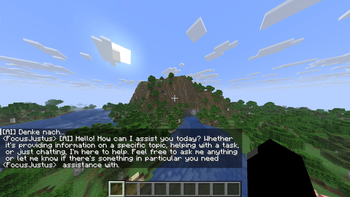
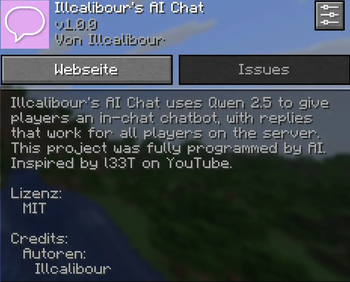
Illcalibour's AI Chat is a Fabric client mod for Minecraft 1.21.8 that adds an AI chatbot to in-game chat using a local Ollama model (default: qwen2.5:3b).
When you send a trigger message (for example Hey AI ...), the mod sends the prompt to your local AI backend and posts the response in chat. By default, AI replies are sent to server chat so all players can see them. Triggers, model settings, and behavior are fully configurable in Mod Menu.
Features:
- Configurable trigger prefixes (Hey AI, KI mach, etc.)
- Toggle AI feature on/off
- Option to send or block the trigger message
- Option to send AI replies to server chat
- Local AI backend support via Ollama
- In-game configuration via Mod Menu + Cloth Config
Requirements:
- Minecraft 1.21.8
- Fabric Loader
- Fabric API
- Mod Menu
- Cloth Config
- Java 21
- Ollama running locally
- Recommended model: qwen2.5:3b
How to run:
- Install Ollama (https://ollama.com/download)
- Open a new Powershell and paste in following command "ollama pull qwen2.5:3b"
- Start Minecraft and chat with your new AI friend
This project was fully programmed with AI and inspired by l33T on YouTube.
!USING AT YOUR OWN RISK!
- Edition: Minecraft Java
- File type: .jar
- Minecraft versions listed: 1.21.8, 1.21.9, 1.21.10
- How to install: Install the matching mod loader (Forge, Fabric or NeoForge) for your Minecraft version. → Download the .jar. → Put it in the .minecraft/mods folder and launch that loader profile.
- Where to get it: Opens on Modrinth — not every file is mirrored on our own servers.
Install steps are the general flow for this file type — How to install Minecraft Java mods & modpacks walks through it step by step.
- Ships as illcalibour_ai_chat-1.0.2.jar — drop this file into the mods folder
- Download size: 78 KB
- Download link checked 21 Oct 2026 — working
These come from our own check of the pack file, not from the source page.