
Description
Have you ever wanted to save certain in-game moments without taking thousands of screenshots?
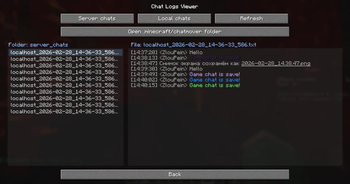
This mod allows you to automatically save your chat to any location of your choice via a user-friendly menu. It supports saving chat logs both in plain text and with colors (#HEX codes).
Save Options:
- TXT files
- Telegram
- Discord
Features:
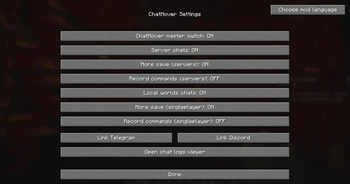
- Chat Logging: Save chat from both servers and local worlds.
- Clean Logs: Option to save chat without formatting.
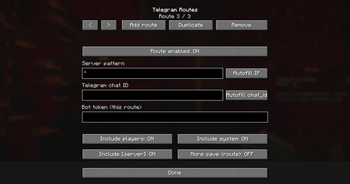
- External Integration: Forward messages to Telegram or Discord (no additional server required).
- Two-Way Communication: Send messages from Telegram or Discord directly to the in-game chat while on a server (includes a customizable prefix for sending).
- Multi-Channel Support: Send logs to multiple sources simultaneously.
- Character Filtering: Built-in whitelist for specific characters.
- Toggleable Categories: Separately enable or disable system messages and player messages.
- Anti-Spam Filter: Experimental spam protection (Beta).
- Localization: Support for multiple languages with fully customizable configs.
Quick facts
- Edition: Minecraft Java
- File type: .jar
- Minecraft version listed: 1.21.11
- How to install: Install the matching mod loader (Forge, Fabric or NeoForge) for your Minecraft version. → Download the .jar. → Put it in the .minecraft/mods folder and launch that loader profile.
- Where to get it: Opens on Modrinth — not every file is mirrored on our own servers.
Install steps are the general flow for this file type — How to install Minecraft Java mods & modpacks walks through it step by step.
Verified by MCModsHub
- Ships as ChatMover-1.21.11.jar — drop this file into the mods folder
- Download size: 226 KB
- Download link checked 21 Aug 2026 — working
These come from our own check of the pack file, not from the source page.