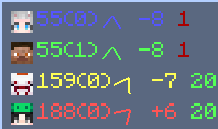
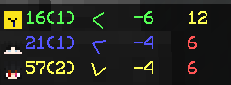
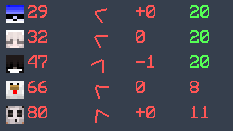
This mod helps you track nearby players in a simple and customizable way.
It displays player information on your screen and allows you to adjust how it looks and behaves.
Features:
- Toggle the display on/off
- Customize tracking range and maximum players shown
- Move and scale the display
- Optional background and transparency settings
- Simple commands for easy control
Commands: /pcm → Open settings overview /pcm toggle → Enable/disable the mod /pcm range → Set tracking range /pcm max → Set maximum displayed players /pcm move → Move the display position /pcm scale → Adjust display size /pcm bg → Toggle background /pcm bga <0-10> → Adjust background transparency /team team mode
This mod is designed for general gameplay use and does not modify server behavior.
- Edition: Minecraft Java
- File type: .jar
- Minecraft version listed: 1.8.9
- How to install: Install the matching mod loader (Forge, Fabric or NeoForge) for your Minecraft version. → Download the .jar. → Put it in the .minecraft/mods folder and launch that loader profile.
- Where to get it: Opens on Modrinth — not every file is mirrored on our own servers.
Install steps are the general flow for this file type — How to install Minecraft Java mods & modpacks walks through it step by step.
- Ships as PlayerCompass-1.7.jar — drop this file into the mods folder
- Download size: 13 KB
- Download link checked 11 Sept 2026 — working
These come from our own check of the pack file, not from the source page.