
Durability HUD
Durability HUD — The mod displays the durability of items on the HUD right during the game. Durability HUD — Мод отображает прочность предметов на HUD…
⬇ Download on Modrinth
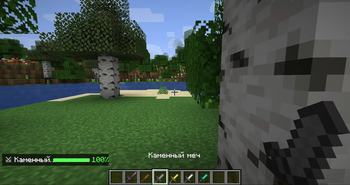
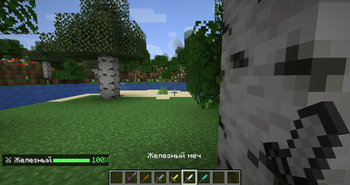
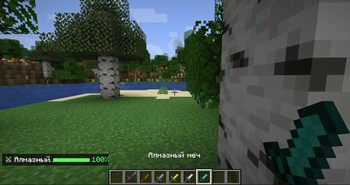
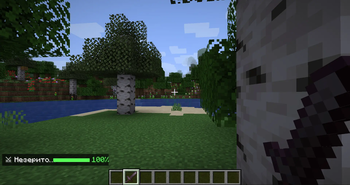
The Durability HUD mod displays item durability directly on the game screen. A bar and percentage of wear for weapons, tools, armor, and shields are displayed in the corner of the HUD. The color changes: green means good condition, yellow means worn, orange means critical, and red means urgent repair! Fabric 1.16.5.
Мод Durability HUD отображает прочность предметов прямо на игровом экране. В углу HUD показывается полоска и процент износа для оружия, инструментов, брони и щита. Цвет меняется: зелёный — хорошее состояние, жёлтый — износ, оранжевый — критично, красный — срочно чини! Fabric 1.16.5.
- Edition: Minecraft Java
- File type: .jar
- Minecraft version listed: 1.16.5
- How to install: Install the matching mod loader (Forge, Fabric or NeoForge) for your Minecraft version. → Download the .jar. → Put it in the .minecraft/mods folder and launch that loader profile.
- Where to get it: Opens on Modrinth — not every file is mirrored on our own servers.
Install steps are the general flow for this file type — How to install Minecraft Java mods & modpacks walks through it step by step.
- Ships as durability-hud-1.0.0.jar — drop this file into the mods folder
- Download size: 7 KB
- Download link checked 11 Sept 2026 — working
These come from our own check of the pack file, not from the source page.