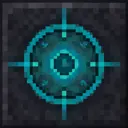
The Chrono Block is a mystical device that creates a time bubble in a 5-block radius when placed, significantly slowing down block updates like plant growth, leaf decay, and other scheduled events within its area of effect. Simply place the block in your world and it will automatically activate, emitting enchanted particles and a soft glow to indicate it's working. Right-click the placed block to toggle the time bubble on or off, allowing you to control when the temporal effects are active - perfect for preserving builds, controlling farm growth rates, or creating areas where time moves more slowly.
- Edition: Minecraft Java
- File type: .jar
- Minecraft versions listed: 1.21.5, 1.21.6, 1.21.7
- How to install: Install the matching mod loader (Forge, Fabric or NeoForge) for your Minecraft version. → Download the .jar. → Put it in the .minecraft/mods folder and launch that loader profile.
- Where to get it: Opens on Modrinth — not every file is mirrored on our own servers.
Install steps are the general flow for this file type — How to install Minecraft Java mods & modpacks walks through it step by step.
- Ships as chrono-block-lvuvyy3l.jar — drop this file into the mods folder
- Download size: 58 KB
- Download link checked 21 Aug 2026 — working
These come from our own check of the pack file, not from the source page.