
BrainF**k In Minecraft
This is a Minecraft mod that adds four new blocks, allowing you to run simple Brainf**k programs — a Turing-complete programming language.
⬇ Download on Modrinth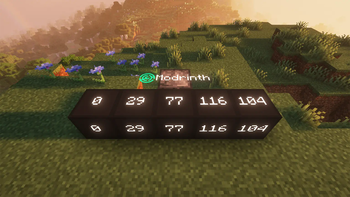
📦 Mod Description
This mod adds four blocks to help you run Brainf**k programs in Minecraft — a minimalist yet Turing-complete programming language.
🧠 Brainf**k Overview
Brainf**k programs are made up of only 8 symbols:
< and >: Move the pointer left and right across memory. In this mod, this is visualized as the pointer block moving left or right.
+ and -: Increment or decrement the value at the current memory cell.
[ and ]: Create loops. When the program reaches [, if the current cell is 0, it skips to the command after the matching ]. When it reaches ], it jumps back to the matching [.
.: Outputs the value of the current memory cell as an ASCII character.
,: Reads a single character of input and stores its ASCII value in the current memory cell (not yet implemented in this mod).
🔧 Mod Features
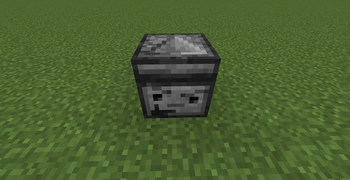
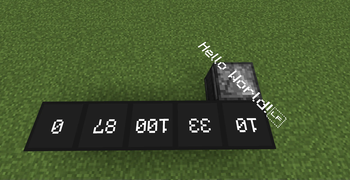
Pointer Block Simulates the pointer in Brainf**k. Right-click to open the GUI and edit the program; Shift + Right-click to run it. The block the pointer is facing represents the current memory unit. Output is displayed above the block. It might explode.
Memory Unit: The basic memory block. Its value can be modified by the pointer. Supports negative numbers.
Chance Block: Get random number(1-6 or (-1)-(-6)).
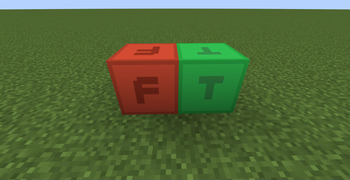
Boolean Unit:
Has two states: True and False. Can be toggled using + and -.
Color Unit:
Displays a color. The + and - commands adjust RGB values. By default, they modify red. Use . to cycle between which color is being modified (e.g., first press affects green, next affects blue, etc.).
🐛 Bug Reports & Suggestions
This mod may contain many bugs. You can report them or suggest new features at Github
The source code is not open yet, but I plan to release it in the future.
- Edition: Minecraft Java
- File type: .jar
- Minecraft version listed: 1.21.1
- How to install: Install the matching mod loader (Forge, Fabric or NeoForge) for your Minecraft version. → Download the .jar. → Put it in the .minecraft/mods folder and launch that loader profile.
- Where to get it: Opens on Modrinth — not every file is mirrored on our own servers.
Install steps are the general flow for this file type — How to install Minecraft Java mods & modpacks walks through it step by step.
- Ships as bfminecraft-a1.0.jar — drop this file into the mods folder
- Download size: 133 KB
- Download link checked 21 Aug 2026 — working
These come from our own check of the pack file, not from the source page.