sound rader
Java mod listed for Minecraft 1.21. Downloads from the MC Java Mods app on Android.
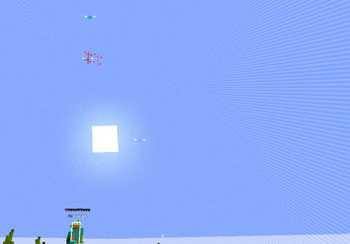
A Fortnite-style sound radar HUD that shows nearby players, mobs, attacks and projectiles as icons on your screen. Fully configurable via Mod Menu…
⬇ Download on Modrinth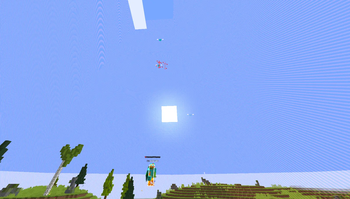



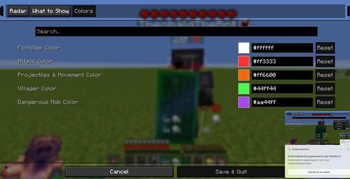
A customizable audio radar system that detects surrounding sounds and visually represents their direction. Instead of displaying a visible circle, the system uses an invisible circular layout to position indicators around the user.
Sounds are shown as colored dots that appear at different positions along this invisible circle, depending on where the sound is coming from. For example, if a sound occurs behind the user, the dot appears at the bottom of the circle; sounds in front appear at the top, and so on.
Users can fully customize the system:
Choose different colors for different types of sounds
Enable or disable specific sound categories (such as vehicles, people, or footsteps)
Adjust the sensitivity and size of the detection radius (the “circle”)
Toggle which visual elements are displayed
This creates an intuitive, minimal, and non-intrusive way to understand the direction of nearby sounds without cluttering the screen.
- Edition: Minecraft Java
- File type: .jar
- Minecraft version listed: 1.21.11
- How to install: Install the matching mod loader (Forge, Fabric or NeoForge) for your Minecraft version. → Download the .jar. → Put it in the .minecraft/mods folder and launch that loader profile.
- Where to get it: Opens on Modrinth — not every file is mirrored on our own servers.
Install steps are the general flow for this file type — How to install Minecraft Java mods & modpacks walks through it step by step.
- Ships as oom-sound-radar-1.0.0.jar — drop this file into the mods folder
- Download size: 21 KB
- Download link checked 22 Oct 2026 — working
These come from our own check of the pack file, not from the source page.