
Fbinds
Create command keybinds with an intuitive animated GUI, rainbow HUD, and smooth blur effects. Supports modifiers (Shift/Ctrl), toggle mode, per-key…
⬇ Download on Modrinth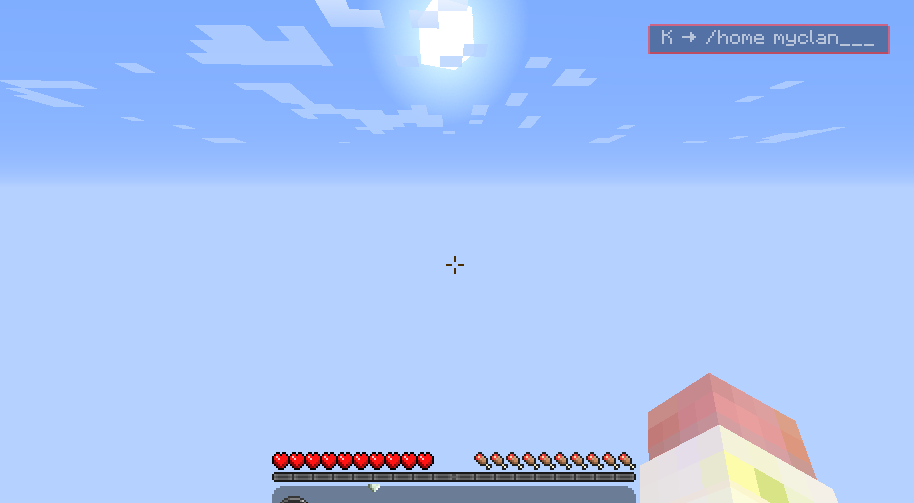
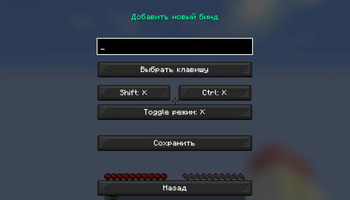
#FBinds v1 🔹 What does this mod do? FBinds allows you to create, edit and manage custom keybinds (macros) for executing commands in Minecraft. Instead of manually typing long commands, you can assign them to any key and execute them with a single press.
The mod adds:
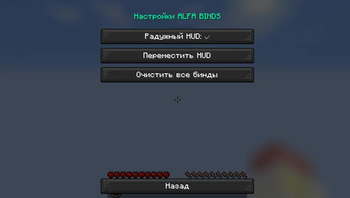
Intuitive GUI menu for bind management
Modifier support (Shift/Ctrl + key)
Toggle mode — turn commands on/off with one key
Animated HUD showing active binds
Auto-save binds to JSON file
Export/Import binds (easily share with friends)
🔹 Why should you download it? Save time — no need to remember complex commands
Convenience — intuitive GUI with animations and blur effect
Flexibility — modifiers, toggle mode, per-key cooldown
Aesthetics — stylish rainbow HUD like in popular clients
Compatibility — works on any server (client-side)
Lightweight — no performance impact, no server installation required
🔹 Important information before downloading Minecraft version: 1.16.5 (Forge only)
For whom: players who want to speed up frequent command execution
Is it safe? Yes, the mod simply sends commands to chat — it doesn't automate gameplay or give PvP advantages
Does it work on servers? Yes, it's a client-side mod — servers don't need to install it
How to install: download the .jar file and place it in the mods folder
⚙️ Controls J — open bind menu (can be changed in controls settings)
Shift/Ctrl + key — if modifiers are configured
Toggle mode — press key to enable, press again to disable
- Edition: Minecraft Java
- File type: .jar
- Minecraft version listed: 1.16.5
- How to install: Install the matching mod loader (Forge, Fabric or NeoForge) for your Minecraft version. → Download the .jar. → Put it in the .minecraft/mods folder and launch that loader profile.
- Where to get it: Opens on Modrinth — not every file is mirrored on our own servers.
Install steps are the general flow for this file type — How to install Minecraft Java mods & modpacks walks through it step by step.
- Ships as FBinds.jar — drop this file into the mods folder
- Download size: 34 KB
- Download link checked 11 Sept 2026 — working
These come from our own check of the pack file, not from the source page.