
BatleRoyalBorder
Java mod listed for Minecraft 1.21. Downloads from the MC Java Mods app on Android.
A mod that introduces the mechanics of reducing the boundaries of the world, similar to games of the battle royale genre. Ideal for UHC PVP events
⬇ Download on Modrinth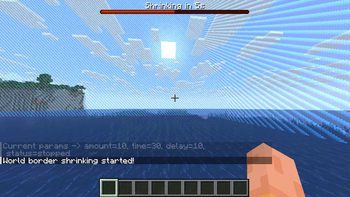
BatleRoyalBorder

Description:
BatleRoyalBorder is a Minecraft mod designed for players who enjoy a more dynamic and challenging gameplay experience. This mod introduces commands that allow you to shrink the world border incrementally, creating an intense and competitive environment. Perfect for UHC (Ultra Hardcore) games or any scenario where you want to force player encounters and add a thrilling twist to your survival gameplay.
Features:
- World Border Shrinking: Use commands to gradually shrink the world border
- Customizable Parameters: Define the amount by which the border shrinks, the time it takes to shrink, and the delay between each shrinkage
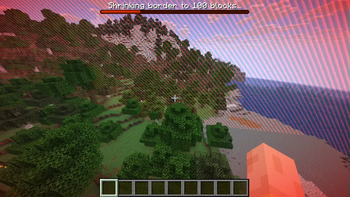
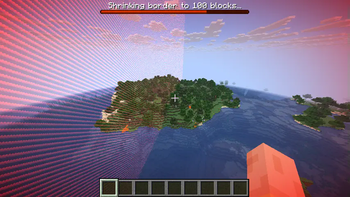
- Boss Bar Progress: Visual countdown timer and shrinking progress displayed in boss bar
- Automatic Control: The shrinking process continues automatically according to the parameters set, freeing you to focus on the game
- Flexible Input: Support for time formats (s/m/h) and number shortcuts (k/m/b/t/p)
Commands:
All commands support the alias /sr for quick access.
# Configure border shrinking parameters
/simpleroyal set <shrink_amount> <shrink_time> <delay_time>
# Begin/stop the border shrinking process
/simpleroyal start
/simpleroyal stop
# Display current settings and status
/simpleroyal get
# Reset parameters to default config values
/simpleroyal reset
Parameters:
shrink_amount: The amount by which the border will shrink each time (supports shortcuts like 1k, 500)shrink_time: The time it takes for the border to shrink (supports formats like 30s, 1m, .5m)delay_time: The delay between each shrink (supports same time formats)
How to Use:
- Install the mod and start your Minecraft server
- Use
/sr setwith desired parameters to configure the border shrinking - Use
/sr startto initiate the border shrinking process - Watch as the world border gradually shrinks with boss bar countdown, increasing tension and pushing players closer together
- Players receive boss bar updates and chat notifications throughout the process
Example Usage:
/sr set 50 30s 10s
This command will configure the border to shrink by 50 blocks within 30 seconds, with a 10-second delay between each shrink.
/sr set 1k 1m .5m
This will shrink by 1000 blocks over 1 minute, with 30-second delays between shrinks.
- Edition: Minecraft Java
- File type: .jar
- Minecraft version listed: 1.21.8
- How to install: Install the matching mod loader (Forge, Fabric or NeoForge) for your Minecraft version. → Download the .jar. → Put it in the .minecraft/mods folder and launch that loader profile.
- Where to get it: Opens on Modrinth — not every file is mirrored on our own servers.
Install steps are the general flow for this file type — How to install Minecraft Java mods & modpacks walks through it step by step.
- Ships as batleroyalborder-0.1.jar — drop this file into the mods folder
- Download size: 29 KB
- Download link checked 22 Oct 2026 — working
These come from our own check of the pack file, not from the source page.