
Prefix Tag
Java mod listed for Minecraft 1.20. Downloads from the MC Java Mods app on Android.
⬇ Download on Modrinth
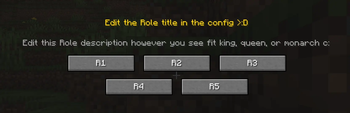
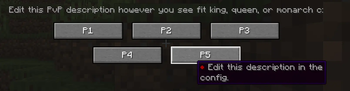
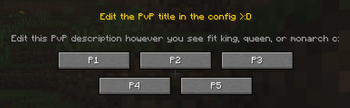
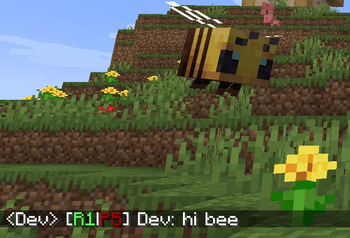






PrefixTag adds a dual tier system to your Minecraft server. Every player carries two independent ranks - one for Roleplay (R1–R5) and one for PvP (P1–P5) (or whatever u want xd) - always displayed as a combined prefix next to their name in chat and above their head in the world.
✦ How it works
When a player joins the server for the first time, a selection screen appears. They choose their Rol tier and then their PvP tier. From that moment on, their prefix - for example [R2|P3] - is permanently visible in chat and above their head, with colors that reflect their tier level.
Admins can reassign, reset, recolor or clear the custom name of any player at any time using simple commands.
✦ Features
- Rol tiers — chosen by the player on first join
- PvP tiers — chosen by the player on first join
- Configurable tier count — set between 2 and 10 tiers independently for Rol and PvP
- Tier colors — each tier has its own configurable color
- Name color — admins can set a custom color for each player's name
- Custom display name — players can replace their username with a custom name
- Prefix in chat and nametag — always visible, always up to date
- First-join GUI — clean two-step selection screen, can't be skipped
- Admin commands — override, reset, recolor or clear any player's data at any time
- Config file — customize tier count, labels, GUI texts and colors via
prefixtag-server.toml - NBT persistence — all data survives restarts and reconnections
✦ Commands
SpoilerAdmin — requires op level 2
| Command | What it does |
|---|---|
/tier setrol <player> <1-10> |
Set a player's Rol tier |
/tier setpvp <player> <1-10> |
Set a player's PvP tier |
/tier setcolor <player> <color> |
Set the color of a player's name |
/tier clearname <player> |
Remove a player's custom display name |
/tier online <player> <true|false> |
Toggle the online indicator (●) on a player's prefix |
/tier check <player> |
View a player's current prefix and display name |
/tier reset <player> |
Reset a player's tiers — they'll see the GUI on next login |
Player — no permissions required
| Command | What it does |
|---|---|
/tierself setname <name> |
Set a custom display name (no color codes allowed) |
/tierself clearname |
Remove your custom display name |
Available colors: black, dark_blue, dark_green, dark_aqua, dark_red, dark_purple, gold, gray, dark_gray, blue, green, aqua, red, light_purple, yellow, white
✦ Configuration
On first launch, PrefixTag generates a prefixtag-server.toml file in the world/serverconfig folder where you can customize:
- Number of active tiers for Rol and PvP independently (2–10)
- Tier labels (e.g. change
R1toNovice) - GUI titles and descriptions
- Tier colors for each level
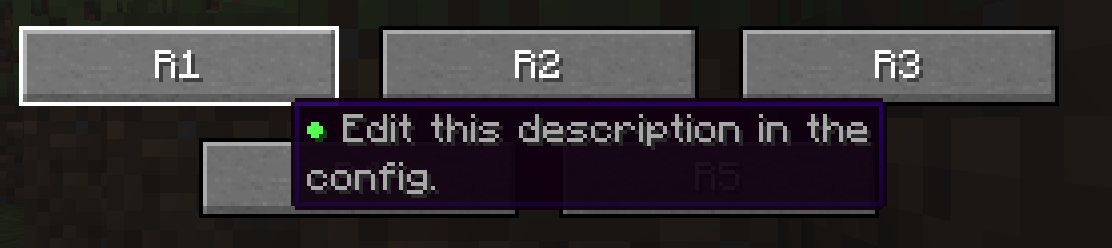
- Tier tooltips shown when hovering over each tier button
You are free to include this mod in any modpack
- Edition: Minecraft Java
- File type: .jar
- Minecraft version listed: 1.20.1
- How to install: Install the matching mod loader (Forge, Fabric or NeoForge) for your Minecraft version. → Download the .jar. → Put it in the .minecraft/mods folder and launch that loader profile.
- Where to get it: Opens on Modrinth — not every file is mirrored on our own servers.
Install steps are the general flow for this file type — How to install Minecraft Java mods & modpacks walks through it step by step.
- Ships as prefixtag-1.5.3.jar — drop this file into the mods folder
- Download size: 33 KB
- Download link checked 22 Oct 2026 — working
These come from our own check of the pack file, not from the source page.