
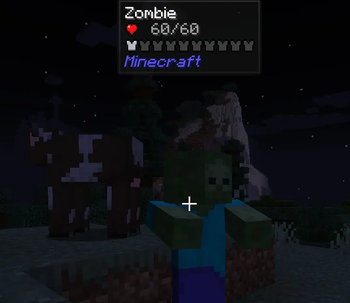









Don't Go Too Far is a server-side mod that divides the Overworld into 5 danger zones based on distance from spawn. The further players venture from civilization, the stronger, faster, and more numerous the zombies become.
Designed for post-apocalyptic zombie survival servers
✦ How it works
The Overworld is divided into 5 concentric zones centered on (0, 0). Each zone applies independent multipliers to zombie damage, health, speed, and spawn rate. The further you go, the harder it gets — and there's no hand-holding about it.
| Zone | Distance from spawn | Difficulty |
|---|---|---|
| 1 — Safe Lands | 0 – 500 | Normal |
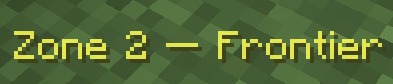
| 2 — Frontier | 500 – 1500 | Moderate |
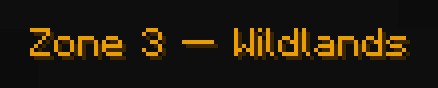
| 3 — Wildlands | 1500 – 3000 | Hard |
| 4 — The Abyss | 3000 – 5000 | Extreme |
| 5 — Beyond | 5000+ | Maximum |
All zone boundaries and multipliers are fully configurable.
✦ Features
- Damage scaling — zombies hit harder the further they are from spawn
- Health scaling — zombies have more HP in outer zones
- Speed scaling — zombies move faster in outer zones
- Spawn rate scaling — more zombies in outer zones, fewer in inner ones
- Night hordes — waves of zombies assault players each night, scaling with zone (up to 5 waves in zone 5)
- Fire-immune zombies — zombies don't burn in daylight and won't flee the sun
- Admin commands —
/dgtf infoand/dgtf zone <player>
✦ Commands
| Command | Permission | Description |
|---|---|---|
/dgtf info |
All players | Shows your current zone and active multipliers |
/dgtf zone <player> |
OP (level 2) | Shows another player's current zone |
✦ Configuration
A dontgotoofar-server.toml file is auto-generated in your serverconfig/ folder on first launch. Everything is configurable: zone boundaries, all multipliers per zone, horde settings, affected mobs, and more.
You are free to include this mod in any modpack, public or private, with or without permission.
- Edition: Minecraft Java
- File type: .jar
- Minecraft version listed: 1.20.1
- How to install: Install the matching mod loader (Forge, Fabric or NeoForge) for your Minecraft version. → Download the .jar. → Put it in the .minecraft/mods folder and launch that loader profile.
- Where to get it: Opens on Modrinth — not every file is mirrored on our own servers.
Install steps are the general flow for this file type — How to install Minecraft Java mods & modpacks walks through it step by step.
- Ships as dontgotoofar-1.2.1.jar — drop this file into the mods folder
- Download size: 26 KB
- Download link checked 21 Aug 2026 — working
These come from our own check of the pack file, not from the source page.