
MineboundsQOL
Java mod listed for Minecraft 1.21. Downloads from the MC Java Mods app on Android.
⬇ Download on ModrinthIf you enjoy this mod, consider supporting development!



A comprehensive client-side quality-of-life mod for the Minebound Minecraft server. Track your earnings, monitor prestige progression, locate collectibles with waypoints, and streamline your chat — all from a sleek in-game overlay.
Everything is accessible through an in-game interface, toggled with INSERT or the /mbqol command.
✅ Features
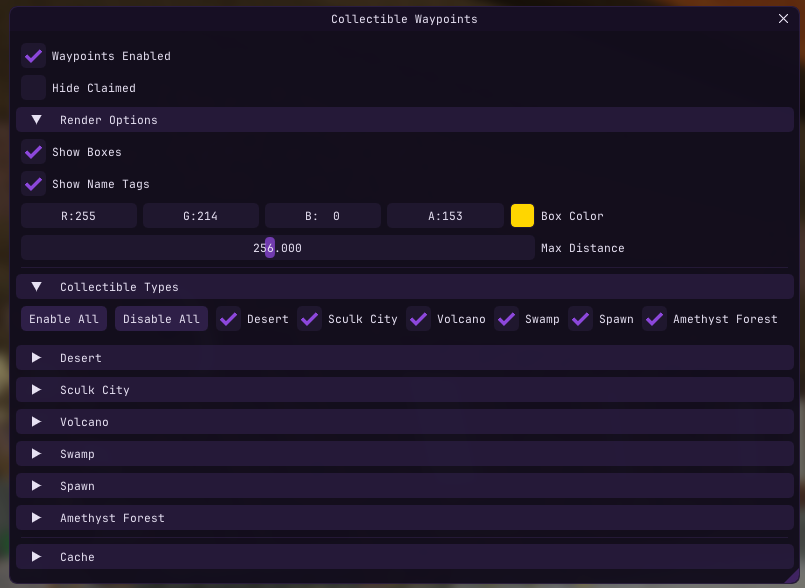
Collectible Waypoints
Find every collectible across the server with visual indicators rendered through walls.
- Box outlines on collectible locations
- Name tags with live distance display
- 28+ collectible types across 6 locations — Desert, Sculk City, Volcano, Swamp, Spawn, and Amethyst Forest
- Remembers discovered positions across sessions
- Automatically tracks which collectibles you've already claimed
- Per-type and per-location filtering with bulk enable/disable
- Configurable colors, render distance (16–512m), and hide-claimed toggle
Earnings Tracker
Know exactly how much you're making per hour.
- Tracks money, tokens, and mining XP from chat messages in real-time
- Displays totals and per-hour rates in a compact HUD overlay
- Smart pause/resume — auto-pauses after inactivity, resumes on new earnings
- Configurable pause timeout, auto-reset timeout, and manual reset button
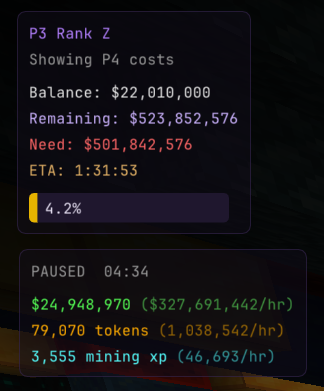
Prestige Progression Overlay
Always know how far you are from your next rank or prestige.
- Shows current prestige level, rank (A–Z), and balance
- Calculates remaining cost to next rank or prestige
- Progress bar with percentage to next prestige
- ETA based on your current earnings rate
Chat QOL
Small improvements that add up.
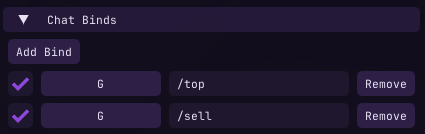
- Chat Binds — bind any key to send a message or command
- Auto-Sell — automatically runs
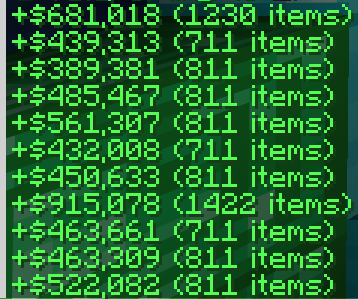
/sellwhen your inventory hits a configurable threshold - Minimal Sell Messages — condenses sell confirmations to
+$Y (X items) - Action Bar to Chat — redirects action bar messages into chat so you never miss them
- Before
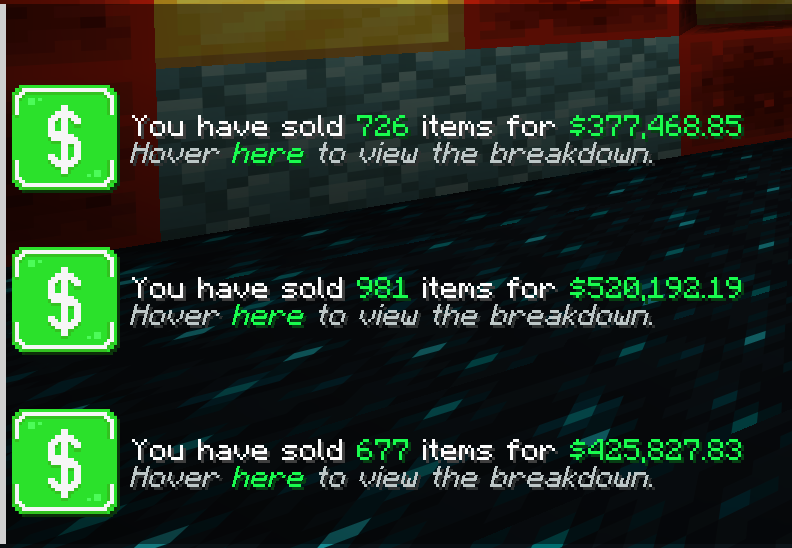
- After
Fullbright
Toggle fullbright from the Overlays menu.
📥 Installation
- Install Fabric Loader for Minecraft 1.21.11
- Install Fabric API and Fabric Language Kotlin
- Drop the jar into your
modsfolder
⌨️ Controls
| Control | Action |
|---|---|
INSERT |
Open/close the configuration GUI |
/mbqol |
Open/close the configuration GUI |
| Custom chat binds | Send configured messages or commands |
All settings are saved automatically.
⚠️ Disclaimer
This mod is designed for use on the Minebound server. Features like scoreboard parsing, prestige calculations, and collectible detection are tailored to Minebound's specific systems and may not function on other servers.
- Edition: Minecraft Java
- File type: .jar
- Minecraft version listed: 1.21.11
- How to install: Install the matching mod loader (Forge, Fabric or NeoForge) for your Minecraft version. → Download the .jar. → Put it in the .minecraft/mods folder and launch that loader profile.
- Where to get it: Opens on Modrinth — not every file is mirrored on our own servers.
Install steps are the general flow for this file type — How to install Minecraft Java mods & modpacks walks through it step by step.
- Ships as MineboundsQOL-1.0.jar — drop this file into the mods folder
- Download size: 20.2 MB
- Download link checked 22 Oct 2026 — working
These come from our own check of the pack file, not from the source page.