DestinationDirection
Java mod listed for Minecraft 1.20. Downloads from the MC Java Mods app on Android.
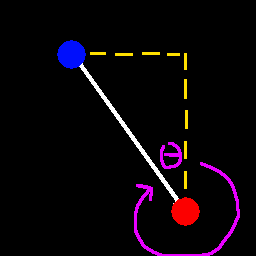
It gives you the direction (yaw) towards a given position. You input the destination X and Z coord and it calculates the yaw that you should move towards…
⬇ Download on Modrinth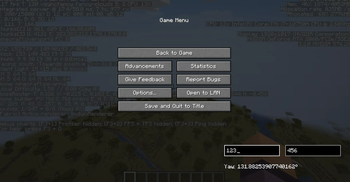
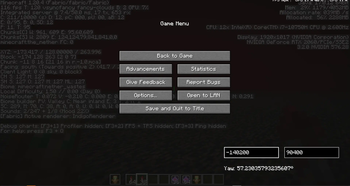
In the ingame menu (aka. pause menu) (both singleplayer and multiplayer), at the bottom right, there are two text fields and one textlabel. the left textfield is for the destination X coordinate. The right textfield is for the destination Z coordinate. Once both the X and Z coords are entered, the direction towards that spot from your current position is calculated. The textlabel tells you the Yaw of that direction that you should face and move towards in order to reach the destination position in the shortest amount of time geometrically. Because a straight line is supposed to be the fastest way to get to anywhere.
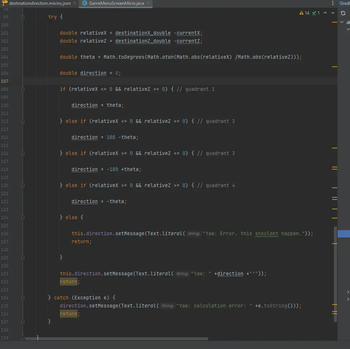
I got tired of doing trig manually, so i made a quick mod to do it for me. You dont need to guess anymore where to go. This gives you a straight path.
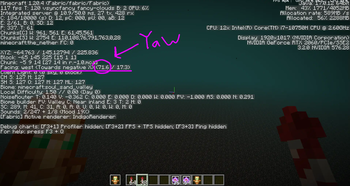
Useful on anarchy servers where you gotta travel far. Just put in the X and Z coordinates of wherever you wanna go, and turn on your debug menu or a modded menu that can tell you your yaw, then match the yaw, and go forward.
- Edition: Minecraft Java
- File type: .jar
- Minecraft version listed: 1.20.4
- How to install: Install the matching mod loader (Forge, Fabric or NeoForge) for your Minecraft version. → Download the .jar. → Put it in the .minecraft/mods folder and launch that loader profile.
- Where to get it: Opens on Modrinth — not every file is mirrored on our own servers.
Install steps are the general flow for this file type — How to install Minecraft Java mods & modpacks walks through it step by step.
- Ships as destinationdirection-1.0.0.jar — drop this file into the mods folder
- Download size: 15 KB
- Download link checked 13 Nov 2026 — working
These come from our own check of the pack file, not from the source page.