
Fountain Craft
Java mod listed for Minecraft 1.20. Downloads from the MC Java Mods app on Android.
⬇ Download on Modrinth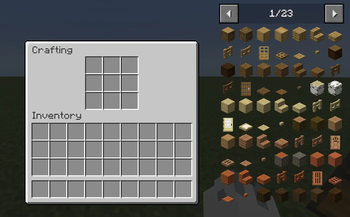

Fountain Craft mod - is a mod that changes the vanilla crafting mechanics in Minecraft, replacing them with a more immersive and funny system
Now, in the Crafting Table menu, there is no longer a window showing the item you’ll receive; there is only a 3x3 crafting grid. To craft an item, you need to place the items in the correct slots (they will be visually displayed on the block), then exit the crafting table and use Shift + Right-click to craft the item, which will “pop out” of the table _(if there are many items, there will be a small fountain of items) _
The mod supports all mods (does not conflict with crafting) and JEI
- Edition: Minecraft Java
- File type: .jar
- Minecraft version listed: 1.20.1
- How to install: Install the matching mod loader (Forge, Fabric or NeoForge) for your Minecraft version. → Download the .jar. → Put it in the .minecraft/mods folder and launch that loader profile.
- Where to get it: Opens on Modrinth — not every file is mirrored on our own servers.
Install steps are the general flow for this file type — How to install Minecraft Java mods & modpacks walks through it step by step.
- Ships as fountaincraft-1.0.0.jar — drop this file into the mods folder
- Download size: 25 KB
- Download link checked 12 Nov 2026 — working
These come from our own check of the pack file, not from the source page.