
LogConsole
Java mod listed for Minecraft 1.21. Downloads from the MC Java Mods app on Android.
This mod opens a console window when you launch Minecraft. It also allows you to interact with Minecraft itself, which can be very convenient.
⬇ Download on Modrinth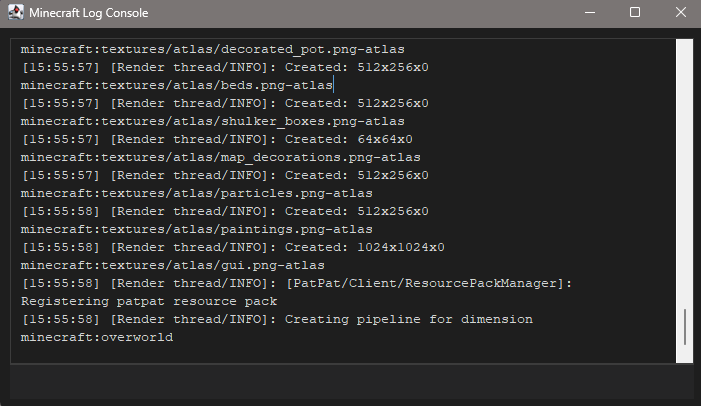
What the mod does, what it's for, and what can be added later. What it does: a separate log window (Windows, Swing) with duplicate Minecraft logs, command entry from the window, colorized output (ANSI and §), log filters, color and font settings.
Why it's useful: easy log viewing without cmd, macros via /import, quick actions (/press, /click, /look, /go, /slot, /atack, etc.) without manually editing files.
Limitations (stability): /go and part of /atack depend on server permissions; /press and clicks depend on window focus; a separate .exe editor is not included in this build.
Future ideas: a separate small Java launcher (.exe) just for the editor; syntax highlighting in the editor; macro key bindings; script profiles; integration with Mod Menu again (no API conflicts).
Libraries: no additional ones required - just JDK and what Fabric/Minecraft already supports (Gson, etc.).
- Edition: Minecraft Java
- File type: .jar
- Minecraft versions listed: 1.21.6, 1.21.7, 1.21.8
- How to install: Install the matching mod loader (Forge, Fabric or NeoForge) for your Minecraft version. → Download the .jar. → Put it in the .minecraft/mods folder and launch that loader profile.
- Where to get it: Opens on Modrinth — not every file is mirrored on our own servers.
Install steps are the general flow for this file type — How to install Minecraft Java mods & modpacks walks through it step by step.
- Ships as logconsole-1.21.8-0.1.4-fix2.jar — drop this file into the mods folder
- Download size: 3.0 MB
- Download link checked 23 Oct 2026 — working
These come from our own check of the pack file, not from the source page.