
Litematica Zone List
Java mod listed for Minecraft 1.21. Downloads from the MC Java Mods app on Android.
An addon to Litematica that allows you to select several zones of the scheme and create a list of materials only for these selected zones
⬇ Download on Modrinth
ENG
Litematica Zone List
A client-side addon for Litematica designed for convenient material counting by schematic sections.
Instructions:
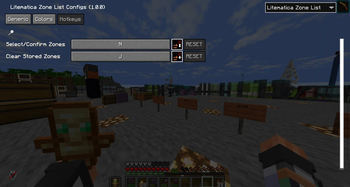
Hold N while aiming at a schematic block to select a zone, then release it to keep the zone highlighted and saved. You can repeat this as many times as needed to add more zones. A quick tap of N opens the resource list only for all saved zones. J clears the current set of selections.
RUS
Litematica Zone List
Клиентский аддон для Litematica, созданный для удобного подсчёта материалов по частям схемы.
Инструкция:
Зажмите N на блоке схемы, чтобы выделить зону, отпустите и зона останется выделенной и сохранится. Можно повторить сколько угодно раз для добавления новых зон. Короткое нажатие N открывает список ресурсов только для всех сохранённых зон. J очищает текущий набор выделений.
- Edition: Minecraft Java
- File type: .jar
- Minecraft version listed: 1.21.8
- How to install: Install the matching mod loader (Forge, Fabric or NeoForge) for your Minecraft version. → Download the .jar. → Put it in the .minecraft/mods folder and launch that loader profile.
- Where to get it: Opens on Modrinth — not every file is mirrored on our own servers.
Install steps are the general flow for this file type — How to install Minecraft Java mods & modpacks walks through it step by step.
- Ships as litematica-zone-list-fabric-1.21.8-1.0.0.jar — drop this file into the mods folder
- Download size: 126 KB
- Download link checked 23 Oct 2026 — working
These come from our own check of the pack file, not from the source page.