
Force the whether
Java mod listed for Minecraft 1.21. Downloads from the MC Java Mods app on Android.
⬇ Download on Modrinth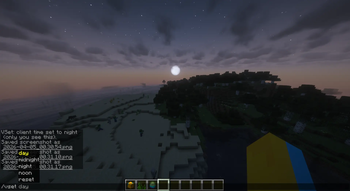
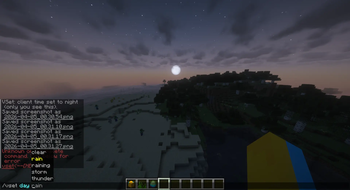
⚠️this mod only workes for client side other players cant see what you see it does not count as a cheat or a hack⚠️ Take full control of your in-game atmosphere with a simple yet powerful you have a rainy server and you want to clear the whether! you can use this mod to clear the whether by using /vset day clear command system that lets you customize time and weather instantly. With this mod, you’re no longer stuck with the server’s default cycle—you decide how your world looks and feels.
Using the /vset command, you can easily switch between different times of day to match your needs. Want a bright environment for building? Use /vset day. Prefer a darker, more immersive vibe? Try /vset midnight or /vset night. You can also use /vset noon for clear, peak daylight ☀️.
Weather is just as flexible. Combine time with different conditions to create the perfect setting. For example, /vset day thunder adds a dramatic storm ⚡, while /vset night rain creates a calm, atmospheric feel 🌧️. Options include thunder, clear, rain, and more.
If you ever want to go back to normal, simply use /vset reset to restore the server’s default time and weather 🔄.
This mod is perfect for builders, creators, and anyone who wants more control over their environment without any hassle.
- Edition: Minecraft Java
- File type: .jar
- Minecraft versions listed: 1.21, 1.21.1, 1.21.2
- How to install: Install the matching mod loader (Forge, Fabric or NeoForge) for your Minecraft version. → Download the .jar. → Put it in the .minecraft/mods folder and launch that loader profile.
- Where to get it: Opens on Modrinth — not every file is mirrored on our own servers.
Install steps are the general flow for this file type — How to install Minecraft Java mods & modpacks walks through it step by step.
- Ships as vset-1.0.0.jar — drop this file into the mods folder
- Download size: 10 KB
- Download link checked 23 Oct 2026 — working
These come from our own check of the pack file, not from the source page.