
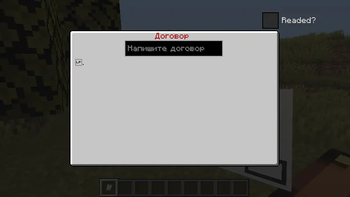
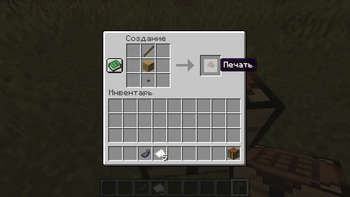
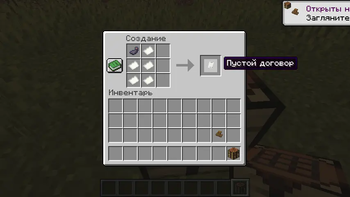
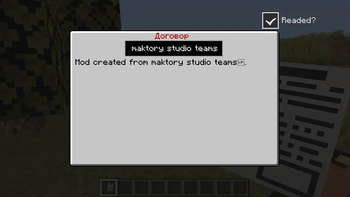
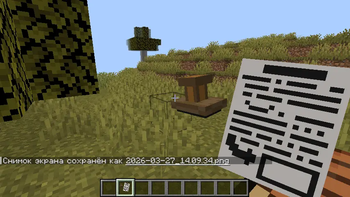
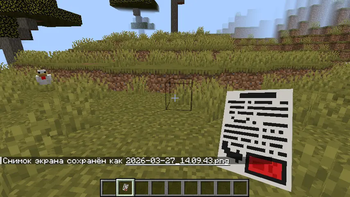
This mod adds simple contracts. Specifically, a Blank Contract, a Written Contract, a Signed Contract, and a Seal. How to use the mod: 1. First, craft a Blank Contract (its crafting is shown in the image in the gallery), then craft a Seal (its crafting is shown in the image in the gallery) and place it IN YOUR INVENTORY, NOT IN THE QUICK ACCESS SLOTS. 2. After that, take the Blank Contract in your main hand and right-click. 3. To write a contract, type the text in the text field when opening the Blank Contract interface. Once you've written the contract, check the box next to "Read." After that, the contract will be written and all that's left to do is place the seal. 4. To place the seal, take the written contract in your main hand and right-click after the contract signing animation plays. 5. If the contract has been completed, it can be completed. Take the active contract in your main hand, right-click, and check the "Completed?" box. Currently, only one contract can be signed per player.
- Edition: Minecraft Java
- File type: .jar
- Minecraft version listed: 1.20.1
- How to install: Install the matching mod loader (Forge, Fabric or NeoForge) for your Minecraft version. → Download the .jar. → Put it in the .minecraft/mods folder and launch that loader profile.
- Where to get it: Opens on Modrinth — not every file is mirrored on our own servers.
Install steps are the general flow for this file type — How to install Minecraft Java mods & modpacks walks through it step by step.
- Ships as contracts-1.0.0-forge-1.20.1.jar — drop this file into the mods folder
- Download size: 80 KB
- Download link checked 22 Aug 2026 — working
These come from our own check of the pack file, not from the source page.