
Mkn Inventory Sync System
Java mod listed for Minecraft 26.x. Downloads from the MC Java Mods app on Android.
⬇ Download on Modrinth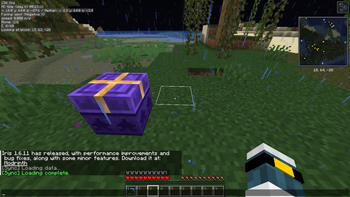
--jp
当MODはFabricサーバー間のインベントリ同期をローカル完結型で実装したものです。(データベース不要!)
使い方 このModをmodsフォルダに追加し、サーバーを起動してください。 configフォルダ内に.jsonファイルが生成されますので、プレイヤーデータの保存先を指定してください。
パス区切りは「\」ではなく「/」を使用してください。
例:C:/Server/inv_syc_1.20.1
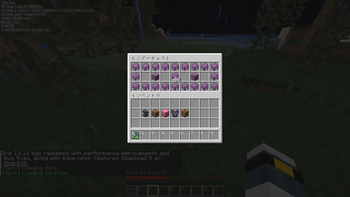
機能と仕様 インベントリとエンドチェストが同期されます。
当MODは共通のフォルダを作成し、サーバー間で読み書きさせることで実現しているMODです。複数のサーバー機を使った運用は想定していません。
Velocityなどのプロキシサーバーも不要です。
このMODを作成するのに膨大な時間をかけてきました、このMODを気に入ってもらえたなら支援してもらえると助かります。 https://www.paypal.com/paypalme/MikankanTPF2
--en
This mod implements inventory sharing between Fabric servers in a self-contained, local manner. (No database required!)
How to Use Add this mod to the mods folder and start the server. A .json file will be generated in the config folder. Specify the location where player data will be saved. Use “/” instead of “\” as the path separator.
Example: C:/Server/inv_syc_1.20.1
Features and Specifications Inventories and End Chests are synchronized.
This mod achieves synchronization by creating a shared folder that servers can read from and write to. It is not designed for use with multiple server machines. You also don't need a proxy server like Velocity.
I’ve spent a tremendous amount of time creating this mod, so if you like it, please consider supporting me. https://www.paypal.com/paypalme/MikankanTPF2
- Edition: Minecraft Java
- File type: .jar
- Minecraft version listed: 26.1.2
- How to install: Install the matching mod loader (Forge, Fabric or NeoForge) for your Minecraft version. → Download the .jar. → Put it in the .minecraft/mods folder and launch that loader profile.
- Where to get it: Opens on Modrinth — not every file is mirrored on our own servers.
Install steps are the general flow for this file type — How to install Minecraft Java mods & modpacks walks through it step by step.
- Ships as MknInventorySyncSystemFabric_26.1.2_v1.0.0.jar — drop this file into the mods folder
- Download size: 53 KB
- Download link checked 23 Oct 2026 — working
These come from our own check of the pack file, not from the source page.