
GitMC
Java mod listed for Minecraft 26.x. Downloads from the MC Java Mods app on Android.
GitMC brings full Git version control into your Minecraft singleplayer worlds, commit snapshots, create branches, switch between them, and back everything…
⬇ Download on Modrinth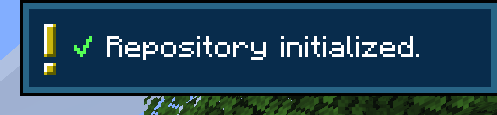
Ever demolished a build you immediately regretted? Wanted to try a completely different base layout without risking your current world? GitMC gives your Minecraft world a full Git repository - the same technology developers use to manage code - so you can save snapshots, experiment freely, and always go back.
No terminal. No external apps. Just type /git save "my message" and you're covered.
What you can do
📸 Save snapshots
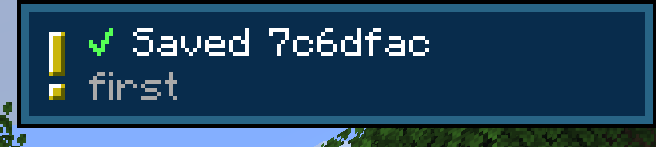
Run /git save "Built the nether hub" to checkpoint your world at any moment. Every snapshot stores exactly what your world looked like — blocks, structures, terrain changes.
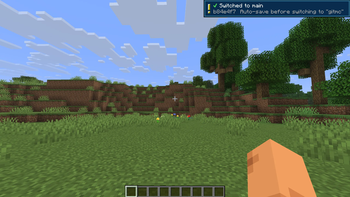
🌿 Branch your world Create a separate branch to experiment with a mega-build or a new base layout, while your "main" world stays untouched. Switch between them with a single command — GitMC auto-saves before switching and reloads the world automatically.
⏪ Travel through time — and back
Use /git log to see your history and /git checkout <hash> to jump back to any past state. Your position is restored after the reload so you land right where you were. Done exploring? /git latest brings you straight back to the newest commit - no need to remember which branch you came from.
🔄 Auto-commit Configure GitMC to save automatically every X minutes, when you sleep in a bed, or when you leave the world. You'll never lose a session of progress again.
☁️ Back up to GitHub Push your entire world history - all branches, all commits - to a private GitHub repository. Pull it back on any machine. Your world, in the cloud, forever.
🗂️ Restore individual chunks
Accidentally corrupted a region or blew up the wrong thing? Restore specific .mca chunk files from any past commit without touching the rest of your world.
How it works
GitMC embeds JGit directly - no Git installation needed on your system. Each world gets its own .git folder inside its save directory. A .gitignore is automatically created and kept up to date, so only meaningful world data is tracked (no session locks, no per-tick noise, no player inventory spam).
All feedback is non-intrusive: quick operations show a small toast notification in the corner, slow network operations (push/pull) show a progress bar that disappears when done.
Quick start
/git init
/git save "My first snapshot"
/git branch create experiment
/git switch experiment
/git switch main
- Edition: Minecraft Java
- File type: .jar
- Minecraft version listed: 26.1
- How to install: Install the matching mod loader (Forge, Fabric or NeoForge) for your Minecraft version. → Download the .jar. → Put it in the .minecraft/mods folder and launch that loader profile.
- Where to get it: Opens on Modrinth — not every file is mirrored on our own servers.
Install steps are the general flow for this file type — How to install Minecraft Java mods & modpacks walks through it step by step.
- Ships as gitmc-1.0.0.jar — drop this file into the mods folder
- Download size: 3.5 MB
- Download link checked 24 Oct 2026 — working
These come from our own check of the pack file, not from the source page.