
No Player Armor Shadow
Java mod listed for Minecraft 1.21. Downloads from the MC Java Mods app on Android.
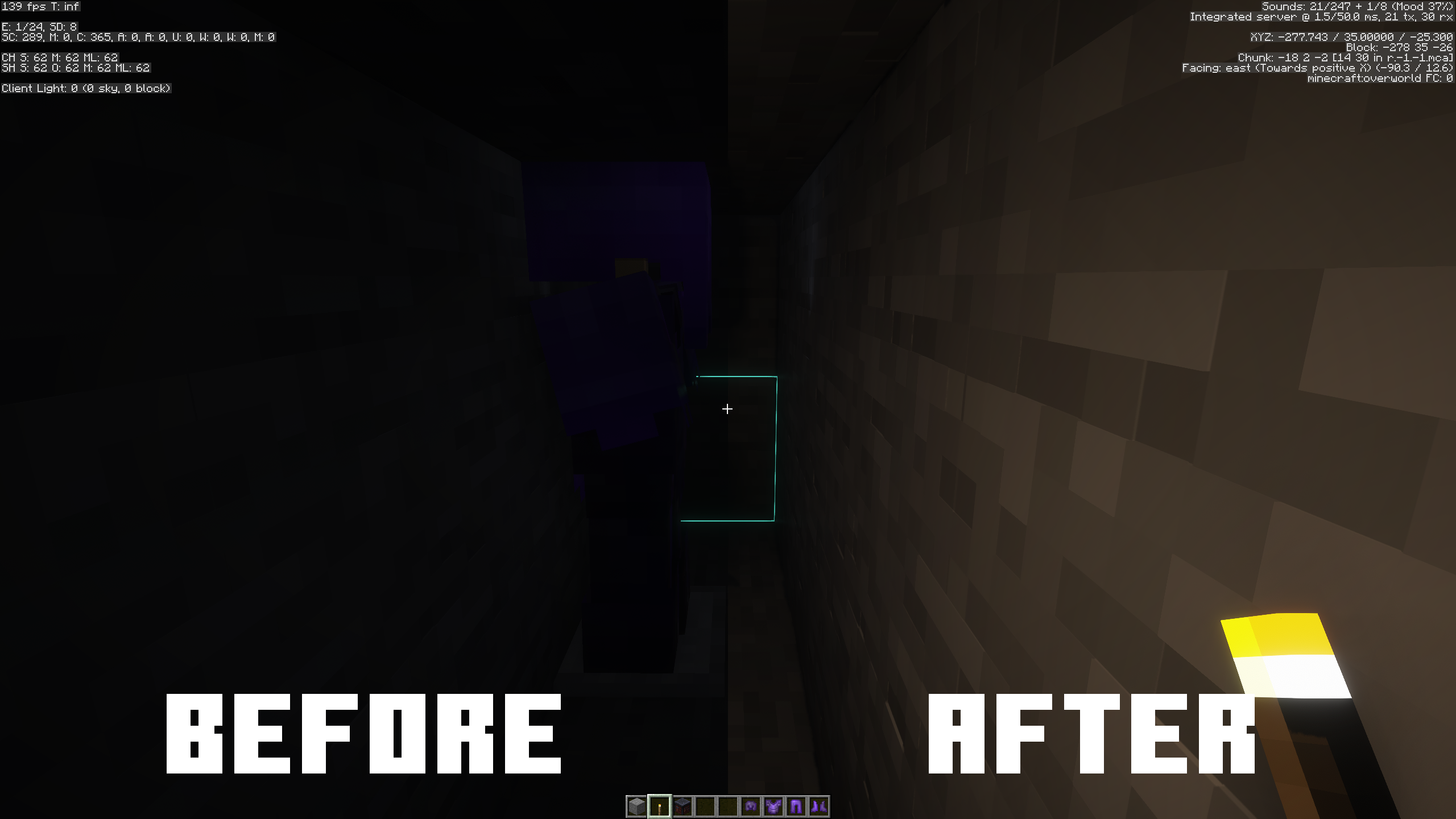
Prevents the local player's armor from rendering in first person. Fixes the dynamic lighting in first person while wearing enchanted armor when using…
⬇ Download on Modrinth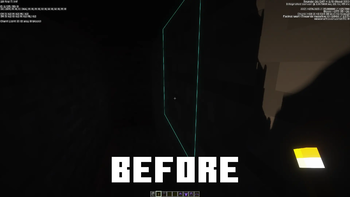
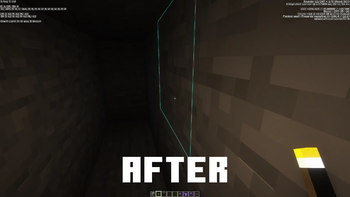
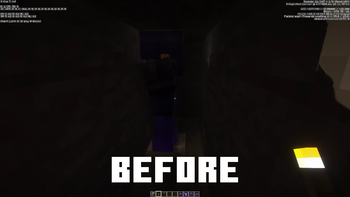
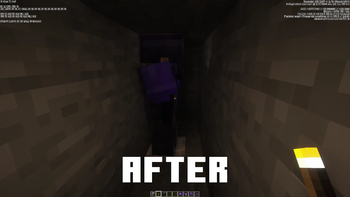
This Fabric mod fixes a bug with certain Iris shaders where when wearing enchanted armor, dynamic lighting would be very buggy and would often get blocked by the armor. That issue can be fixed by disabling Entity Voxelization, but that also disables entity shadows. This mod fixes the issue while still allowing you to have entity shadows.
Known shaders affected by the issue this fixes include but are not limited to:
- Rethinking Voxels
The way the mod works is when you are in first person, it prevents your player's armor from rendering (this does not affect other players armor, only yours). It also allows you to configure a keybind to toggle the armor hiding (the keybind is unassigned by default).
NOTE: To achieve completely unobstructed dynamic lighting, you will need to disable Player Voxelization in the shader settings. This can be used with Player Voxelization on if you just want to prevent complete obstruction while being fine with some obstruction of the light.
- Edition: Minecraft Java
- File type: .jar
- Minecraft version listed: 1.21.10
- How to install: Install the matching mod loader (Forge, Fabric or NeoForge) for your Minecraft version. → Download the .jar. → Put it in the .minecraft/mods folder and launch that loader profile.
- Where to get it: Opens on Modrinth — not every file is mirrored on our own servers.
Install steps are the general flow for this file type — How to install Minecraft Java mods & modpacks walks through it step by step.
- Ships as no-player-armor-shadow-1.0.0.jar — drop this file into the mods folder
- Download size: 8 KB
- Download link checked 23 Oct 2026 — working
These come from our own check of the pack file, not from the source page.