
Thnder's Quality of Life Enhancements
Java mod listed for Minecraft 1.21. Downloads from the MC Java Mods app on Android.
Thnder's Quality of Life Enhancements adds gameplay improvements to inventory(sorting, open shulker box) and hotbar (no looping).
⬇ Download on Modrinth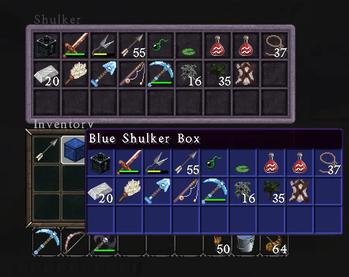
Thnder's Quality of Life Enhancements adds practical gameplay improvements built for Fabric 1.21.11, focused on reducing friction and making common tasks smoother while preserving the core vanilla experience.
Note: Primarily developed and tested in singleplayer / LAN. Dedicated server compatibility has not been fully tested.
Current features include middle-click inventory sorting for faster organization, protected hotbar slot handling to keep important tools in place while sorting, CTRL+SHIFT+MiddleClick to move all like items between inventory and containers, CTRL+ALT+MiddleClick to move all Tools or armor or weapons between inventory and containers, non-looping hotbar scroll behavior for more controlled slot selection, right-click shulker box access without placing it, shulker box preview support for quick contents viewing, and general inventory interaction improvements designed to save time during normal play. The mod is built with a modular structure, allowing additional quality of life systems to be added over time without unnecessary bloat.
Oh, and yes, ESC brings you to the previous inventory or chest screen (as it should) after opening the shulker box, while E will close it all.
Ideal for players who enjoy vanilla Minecraft but want smarter inventory management, cleaner interactions, and everyday convenience upgrades.
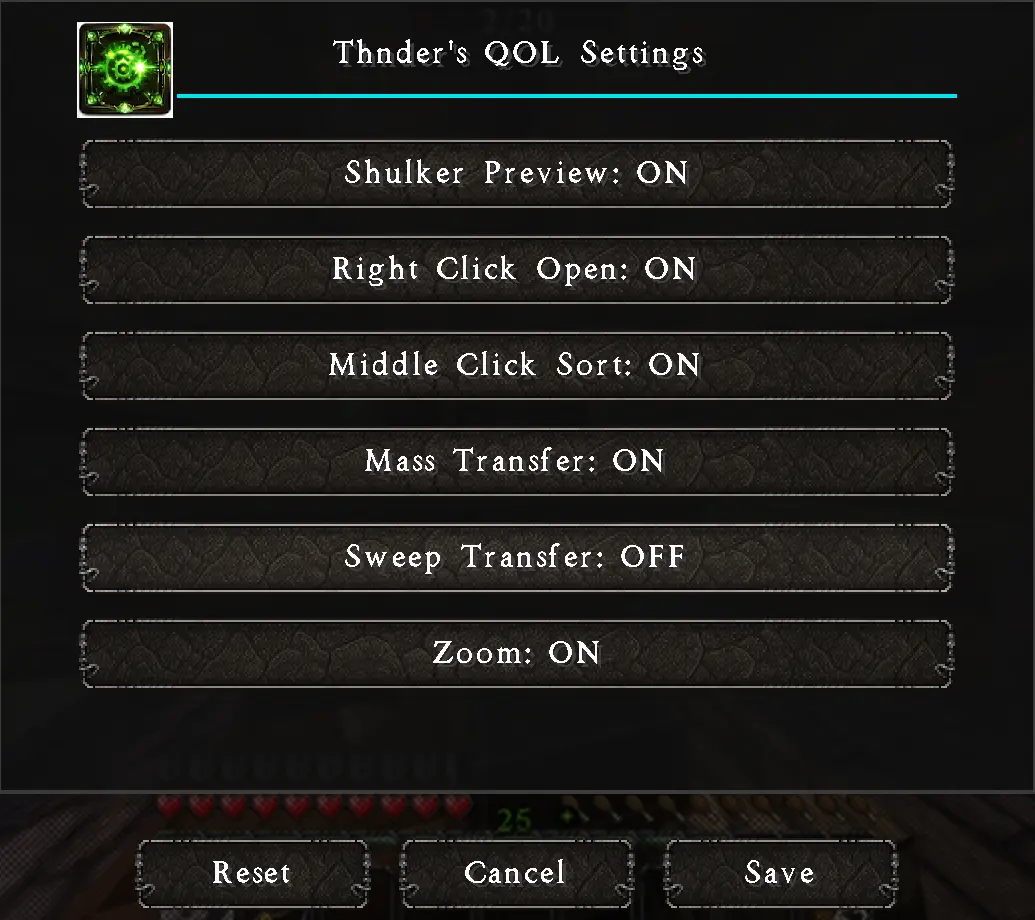
All enhancements are fully toggleable in settings.
ESC and click the button (ModMenu optional) to enter settings.
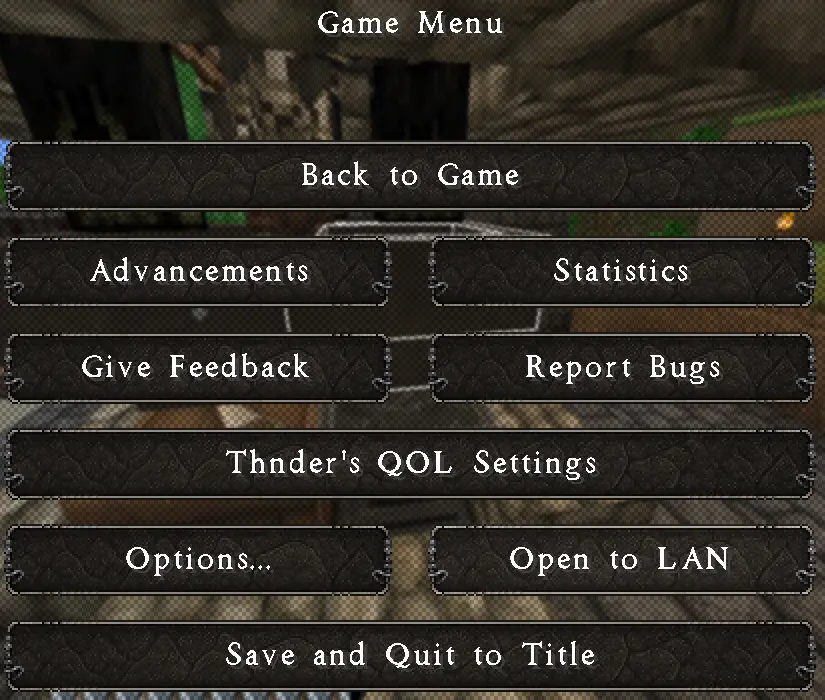
CTRL O to can also access settings.
Shulker preview on mouseover. You will need to move the mouse to see the preview, if the shulker box is in your first inventory slot. Unlike some other mods, I found the immediate preview to be annoying, so mine does not allow it.
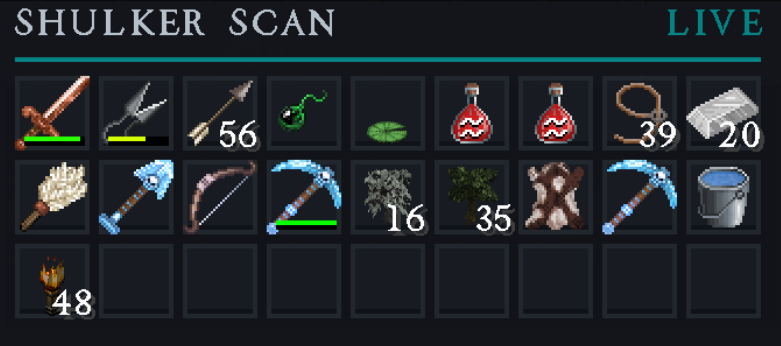
- Edition: Minecraft Java
- File type: .jar
- Minecraft version listed: 1.21.11
- How to install: Install the matching mod loader (Forge, Fabric or NeoForge) for your Minecraft version. → Download the .jar. → Put it in the .minecraft/mods folder and launch that loader profile.
- Where to get it: Opens on Modrinth — not every file is mirrored on our own servers.
Install steps are the general flow for this file type — How to install Minecraft Java mods & modpacks walks through it step by step.
- Ships as ThndersQOLEnhancements-1.0.0-351.jar — drop this file into the mods folder
- Download size: 128 KB
- Download link checked 3 Oct 2026 — working
These come from our own check of the pack file, not from the source page.