
TheLounge Official Modpack
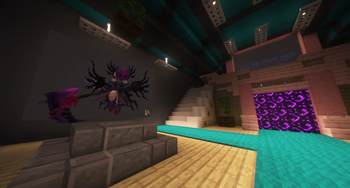
The ultimate experience for TheLounge server. An experience more integrated with it's custom equipment and bosses alike. Play now even on vanilla at…
⬇ Download on Modrinth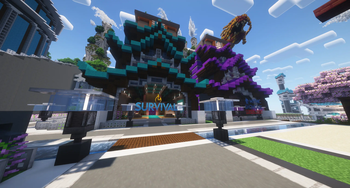



About
A carefully selected list of mods for TheLounge, made to give you the best experience on the server. Giving you a massive performance boost, much quality of life and features like voice chat and hotkeys for backpacks!
Socials


Modlist
🗨️ Server FeaturesAriKeys
Default Options
Dungeons and Taverns
Simple Discord RPC
Simple Menu
Simple Voice Chat
Tab Tweaks
Voice Chat Interaction
3D Skin Layers
AmbientSounds
Capes
Cat Jam
Chat Animation [Smooth Chat]
Falling Leaves
Smooth Scrolling
Sound Physics Remastered
Sounds
Subtle Effects
Visuality
Wavey Capes
BadOptimizations
Concurrent Chunk Management Engine (Fabric)
Entity Culling
ImmediatelyFast
Krypton
Lithium
More Culling
No Telemetry
Noisium
Reese's Sodium Options
ScalableLux
Sodium
Sodium Extra
ThreadTweak (Fabric)
Very Many Players (Fabric)
AppleSkin
Auth Me
Better Advancements
Better Statistics Screen
Bobby
Chat Heads
Chest Tracker
Claim Points
ClickThrough Plus
Client Tweaks
Continuity
Controlling
Crafting Tweaks
Cubes Without Borders
Euphoria Patches
Extreme Sound Muffler
Global Narration Toggle
Iris Shaders
Keybind Fix Plus
LambDynamicLights
Mod Menu
ModernFix (Fabric)
More Chat History
Mouse Tweaks
No Chat Reports
No Resource Pack Warnings
Not Enough Animations
Particle Tweaks
Pling
Polytone
Remove Reloading Screen
Resource Reload (F3+T) Everywhere
Searchables
Shulker Box Tooltip
Xaero Zoomout
Xaero's Minimap
Xaero's World Map
Zoomify
[EMF] Entity Model Features
[ETF] Entity Texture Features
Balm
Cloth Config API
Collective
CraterLib
CreativeCore
Fabric API
Fabric Language Kotlin
FerriteCore
Forge Config API Port
Fzzy Config
Kirin
M.R.U
TCDCommons API
Text Placeholder API
YetAnotherConfigLib (YACL)
- Edition: Minecraft Java
- File type: .jar
- Minecraft version listed: 1.21.3
- How to install: Install the matching mod loader (Forge, Fabric or NeoForge) for your Minecraft version. → Download the .jar. → Put it in the .minecraft/mods folder and launch that loader profile.
- Where to get it: Opens on Modrinth — not every file is mirrored on our own servers.
Install steps are the general flow for this file type — How to install Minecraft Java mods & modpacks walks through it step by step.
- Downloads as TheLounge Modpack [1.21.3] 1.0.0.mrpack
- Download size: 61.1 MB
- Download link checked 5 Sept 2026 — working
These come from our own check of the pack file, not from the source page.