FTB Filter System Mod (26.1.2, 1.20.1) – Precise Control Over Items
Java mod listed for Minecraft 1.20. Downloads from the MC Java Mods app on Android.
⬇ Download
FTB Filter System Mod provides a powerful item filtering system with a simple-to-use menu. This mod is designed to be used by other mods, like FTB Quests, that need a way to sort or check items. It doesn’t do much on its own but offers an API for other mods to connect with.
Features:
- Adds a single item, the Smart Filter, which you can right-click to open its configuration menu.
- Create advanced sorting rules by combining multiple filters into a single compound filter.
- Easily set up certain filters by dragging items directly from JEI into the menu.
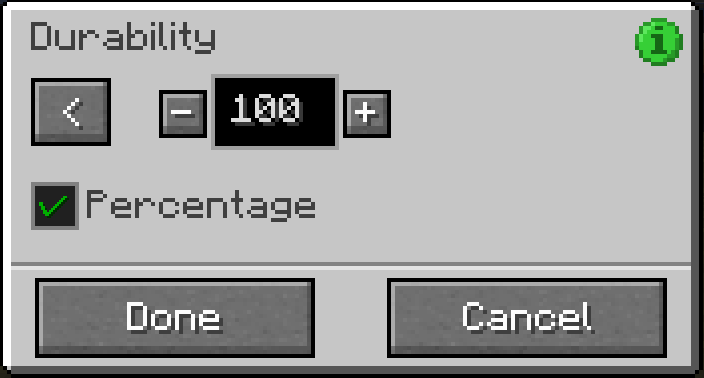
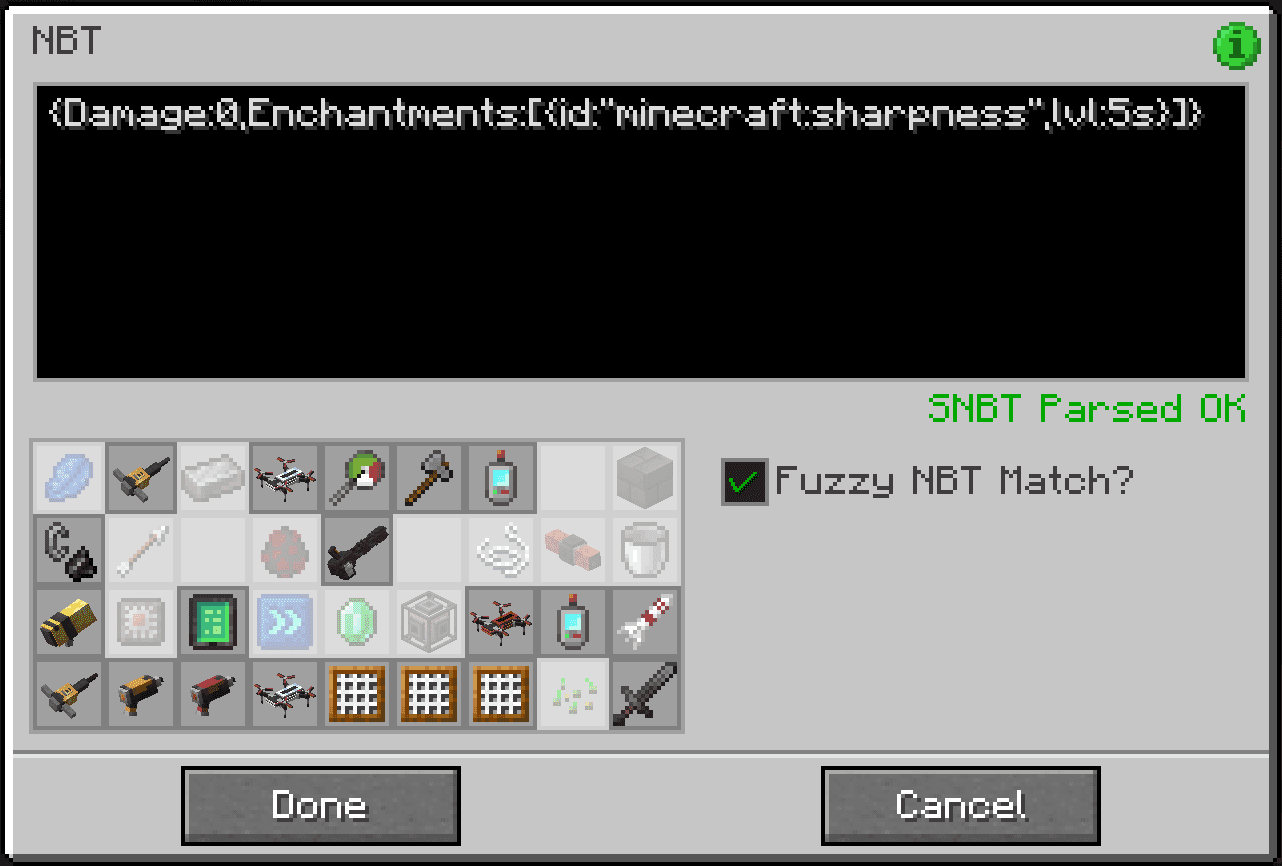
- Match items based on specific details like NBT data, durability, item tags, or the mod they come from.
- Provides an API that lets other mods use its filtering system for their own features.
How to Use:
All settings are managed through a single item called the Smart Filter.
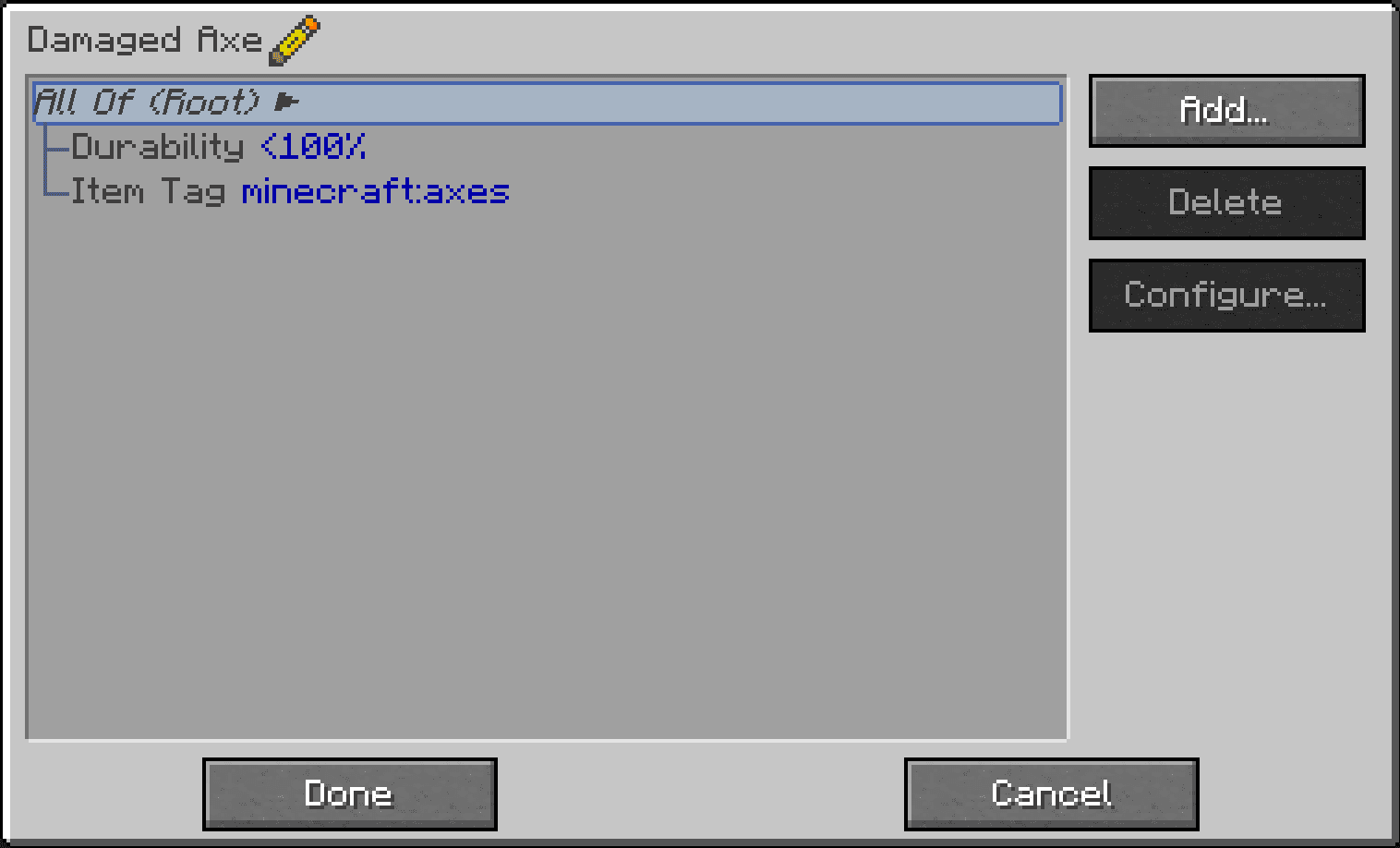
- Right-click the Smart Filter to open its menu. You will see buttons on the right to manage your filters.
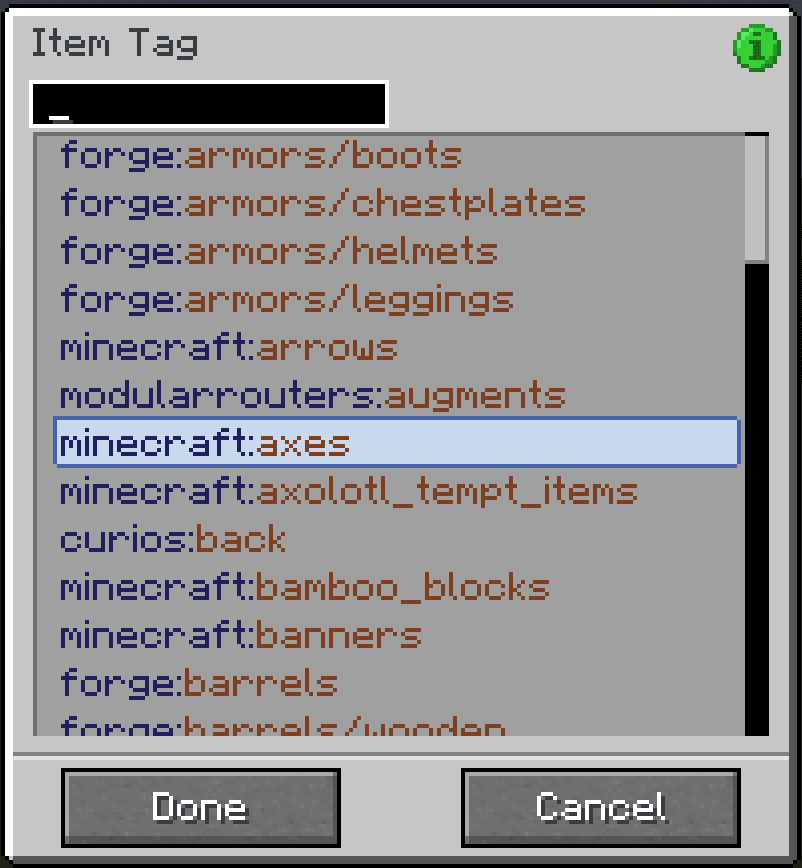
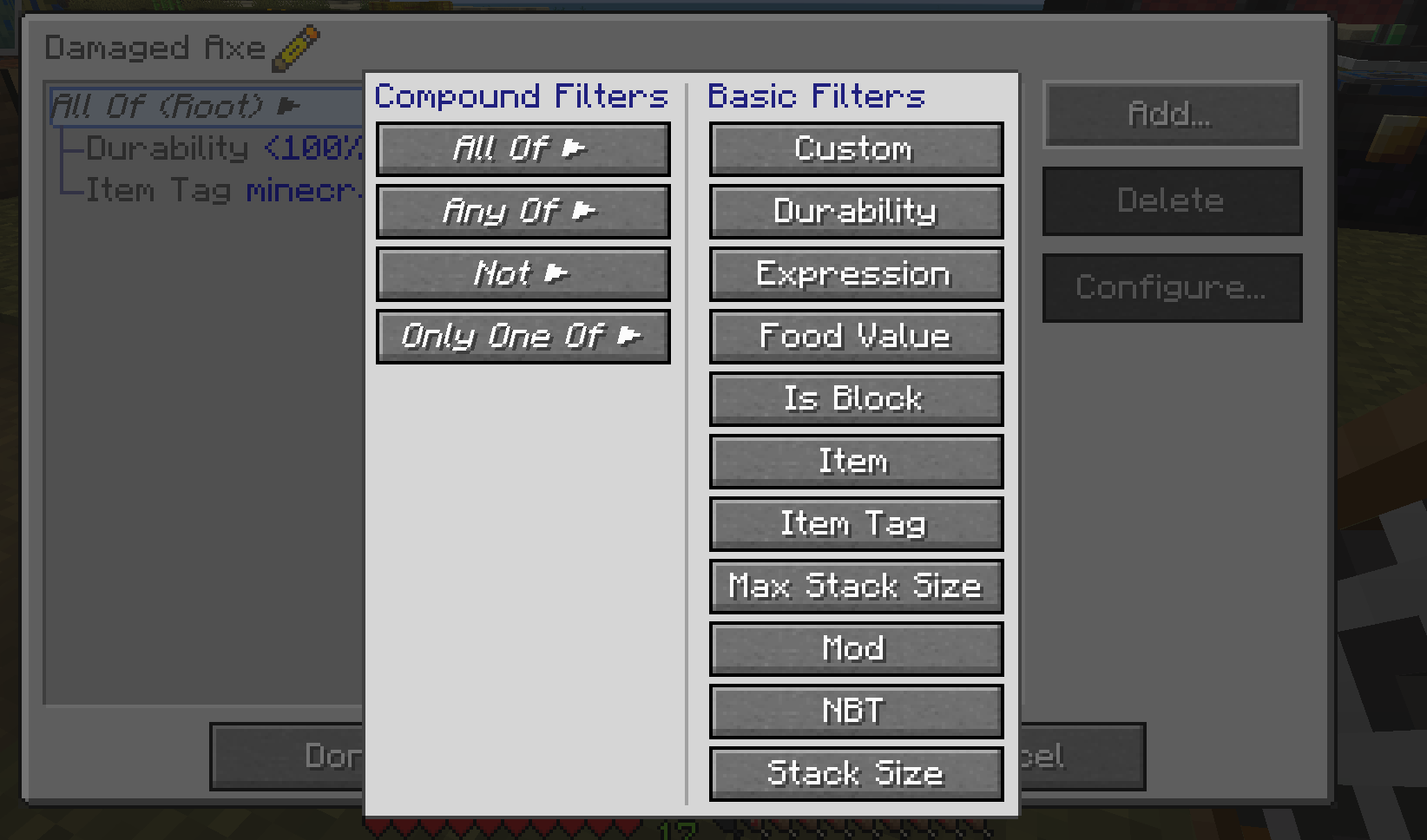
- Click the “Add…” button to choose from a list of available filter types.
- Select a filter from the list and click “Configure…” or just double-click it to change its settings.
- Click “Delete” to remove any filter you no longer need.
- When you are finished, click “Done” to save your setup.
To quickly test if a filter is working, hold the configured Smart Filter in your main hand and the item you want to test in your off-hand. Then, sneak and right-click to see a success or failure message in the chat.
Screenshots:
An easy to use Filter Gui: Simple GUI that allows you to build a tree of filters based on different filter types
Tag filtering: You can filter by lots of different factors, like tags, durability, and NBT data
Durability filtering
NBT filtering
Filter types: Out of the box we support a large selection of different filtering options along with having an easy-to-use API to add more
FTB Filter System Mod Download Links
- Edition: Minecraft Java
- File type: .jar
- Minecraft version listed: 1.20.1
- How to install: Install the matching mod loader (Forge, Fabric or NeoForge) for your Minecraft version. → Download the .jar. → Put it in the .minecraft/mods folder and launch that loader profile.
- Where to get it: In MC Java Mods, or directly above on this page.
Install steps are the general flow for this file type — How to install Minecraft Java mods & modpacks walks through it step by step.
- Downloads as 30216.mcaddon
- Download size: 213 KB
- Download link checked 26 Sept 2026 — working
- Mirrored on our own servers — the download does not depend on the original host
These come from our own check of the pack file, not from the source page.