
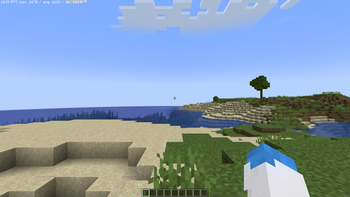
Introduction:
The Ervonia Tech Modpack is a create focused Modpack, where players will be able to experience the Create Mod with several additives in addition to Farmers Delight in an accesible manner. This modpack has been heavily optimised in order to allow it to run on toaster computers without much trouble.
Download the pack and install it onto a server to play with your all friends, in a Kitchensink Environment.
Features
- A Highly Optimised Experience
- Kitchensink and Tech Mods
- Shader Compatibility
- End Expansion
- Added Optifine Features
Mod Acredation:
Thanks to all the talented Modders that created all of the following Mods used in the Modpack:
- https://modrinth.com/mod/animatica
- https://modrinth.com/mod/badoptimizations
- https://modrinth.com/mod/cit-resewn
- https://modrinth.com/mod/cloth-config
- https://modrinth.com/mod/controlling
- https://modrinth.com/mod/c2me-fabric
- https://modrinth.com/mod/continuity
- https://modrinth.com/mod/debugify
- https://modrinth.com/mod/dynamic-fps
- https://modrinth.com/mod/ebe
- https://modrinth.com/mod/entity-model-features
- https://modrinth.com/mod/entitytexturefeatures
- https://modrinth.com/mod/fabric-api
- https://modrinth.com/mod/fabric-language-kotlin
- https://modrinth.com/mod/ferrite-core
- https://modrinth.com/mod/immediatelyfast
- https://modrinth.com/mod/indium
- https://modrinth.com/mod/iris
- https://modrinth.com/mod/krypton
- https://modrinth.com/mod/lambdynamiclights
- https://modrinth.com/mod/lazydfu
- https://modrinth.com/mod/lithium
- https://modrinth.com/mod/memoryleakfix
- https://modrinth.com/mod/mixintrace
- https://modrinth.com/mod/modmenu
- https://modrinth.com/mod/morechathistory
- https://modrinth.com/mod/modernfix
- https://modrinth.com/mod/moreculling
- https://modrinth.com/mod/optigui
- https://modrinth.com/mod/reeses-sodium-options
- https://modrinth.com/mod/searchables
- https://modrinth.com/mod/sodium
- https://modrinth.com/mod/spark
- https://modrinth.com/mod/sodium-extra
- https://modrinth.com/mod/starlight
- https://modrinth.com/mod/yacl
- https://modrinth.com/mod/animatica
- https://modrinth.com/mod/badoptimizations
- https://modrinth.com/mod/cit-resewn
- https://modrinth.com/mod/cloth-config
- https://modrinth.com/mod/controlling
- https://modrinth.com/mod/c2me-fabric
- https://modrinth.com/mod/continuity
- https://modrinth.com/mod/debugify
- https://modrinth.com/mod/dynamic-fps
- https://modrinth.com/mod/ebe
- https://modrinth.com/mod/fabric-api
- https://modrinth.com/mod/fabric-language-kotlin
- https://modrinth.com/mod/ferrite-core
- https://modrinth.com/mod/immediatelyfast
- https://modrinth.com/mod/indium
- https://modrinth.com/mod/iris
- https://modrinth.com/mod/krypton
- https://modrinth.com/mod/lambdynamiclights
- https://modrinth.com/mod/lazydfu
- https://modrinth.com/mod/lithium
- https://modrinth.com/mod/memoryleakfix
- https://modrinth.com/mod/mixintrace
- https://modrinth.com/mod/modmenu
- https://modrinth.com/mod/morechathistory
- https://modrinth.com/mod/modernfix
- https://modrinth.com/mod/moreculling
- https://modrinth.com/mod/optigui
- https://modrinth.com/mod/reeses-sodium-options
- https://modrinth.com/mod/searchables
- https://modrinth.com/mod/sodium
- https://modrinth.com/mod/spark
- https://modrinth.com/mod/sodium-extra
- https://modrinth.com/mod/starlight
- https://modrinth.com/mod/yacl
- https://modrinth.com/mod/jei
- https://modrinth.com/mod/midnightlib
- https://modrinth.com/datapack/create-compat-betterend-betternether
- https://modrinth.com/mod/farmers-delight-refabricated
- https://www.curseforge.com/minecraft/mc-mods/farmers-respite-fabric
- https://modrinth.com/mod/brewin-and-chewin
- https://modrinth.com/plugin/simple-voice-chat
- https://modrinth.com/mod/gravestone-mod
- https://modrinth.com/mod/supplementaries
- https://modrinth.com/mod/player-ladder
- https://modrinth.com/mod/bl4cks-sit
- https://modrinth.com/mod/create-fabric
- https://modrinth.com/mod/create-big-cannons
- https://modrinth.com/mod/create-food
- https://modrinth.com/mod/create-deco
- https://modrinth.com/mod/create-steam-n-rails
- https://modrinth.com/mod/create-pattern-schematics
- https://modrinth.com/mod/create-trimmed
- https://modrinth.com/mod/bellsandwhistles
- https://modrinth.com/mod/create-dreams-and-desires
- https://modrinth.com/mod/create-enchantment-industry-fabric
- https://modrinth.com/mod/create-metalwork
- https://modrinth.com/mod/create-ore-excavation
- https://modrinth.com/mod/slice-and-dice
- https://modrinth.com/mod/copycats
- https://modrinth.com/datapack/create-structures
- https://modrinth.com/mod/create-new-age
- https://modrinth.com/mod/createaddition
- https://modrinth.com/mod/create-connected-fabric
- https://modrinth.com/mod/botarium
- https://modrinth.com/datapack/amplified-nether
- https://modrinth.com/shader/bliss-shader
- https://modrinth.com/datapack/edf-remastered
- https://modrinth.com/mod/mss-moogs-soaring-structures
- https://modrinth.com/mod/mes-moogs-end-structures
- https://modrinth.com/mod/mns-moogs-nether-structures
- https://modrinth.com/mod/moogs-voyager-structures
- https://modrinth.com/mod/cicada
- https://modrinth.com/mod/do-a-barrel-roll
- https://modrinth.com/mod/distanthorizons
- https://modrinth.com/mod/distanthorizonsapi
Quick facts
- Edition: Minecraft Java
- File type: .jar
- Minecraft version listed: 1.20.1
- How to install: Install the matching mod loader (Forge, Fabric or NeoForge) for your Minecraft version. → Download the .jar. → Put it in the .minecraft/mods folder and launch that loader profile.
- Where to get it: Opens on Modrinth — not every file is mirrored on our own servers.
Install steps are the general flow for this file type — How to install Minecraft Java mods & modpacks walks through it step by step.
Verified by MCModsHub
- Downloads as Ervonia Tech 0.3.4.mrpack
- Download size: 1.9 MB
- Download link checked 6 Sept 2026 — working
These come from our own check of the pack file, not from the source page.