
MoreMods... Update
The modpack is designed for version 1.20.1 and is perfect for playing with friends. If you don't have any friends to play with, don't worry, I don't…
⬇ Download on Modrinth


I am not a programmer and have no experience in creating mods, but I decided to share the modpack that I use to play with my friends.
p.s.
I will add the description, screenshots and settings of some mods later, when I have free time.
Commands
Run /audioplayer to get general information on how to upload files.
Uploading audio files via URL
Run /audioplayer url "https://example.com/myaudio.mp3" where https://example.com/myaudio.mp3 is the link to your .mp3 or .wav file.
Uploading audio files directly to the server
Copy your .mp3 or .wav file to the audioplayer_uploads folder in your server. Run /audioplayer serverfile "yourfile.mp3" where yourfile.mp3 is the name of the file you put on the server.
Uploading audio files via Filebin
Run /audioplayer filebin and follow the instructions.
Putting custom audio on a music disc
Run /audioplayer musicdisc and hold a music disc in your main hand. Additionally, you can add a custom name and range for the music disc /audioplayer musicdisc "" .
Putting custom audio on a goat horn
Run /audioplayer goathorn and hold a goat horn in your main hand. Additionally, you can add a custom name and range for the goat horn /audioplayer goathorn " ".
Getting the audio from an existing item
Run /audioplayer id and hold a music disc or a goat horn with custom audio in your main hand.
Signed Paintings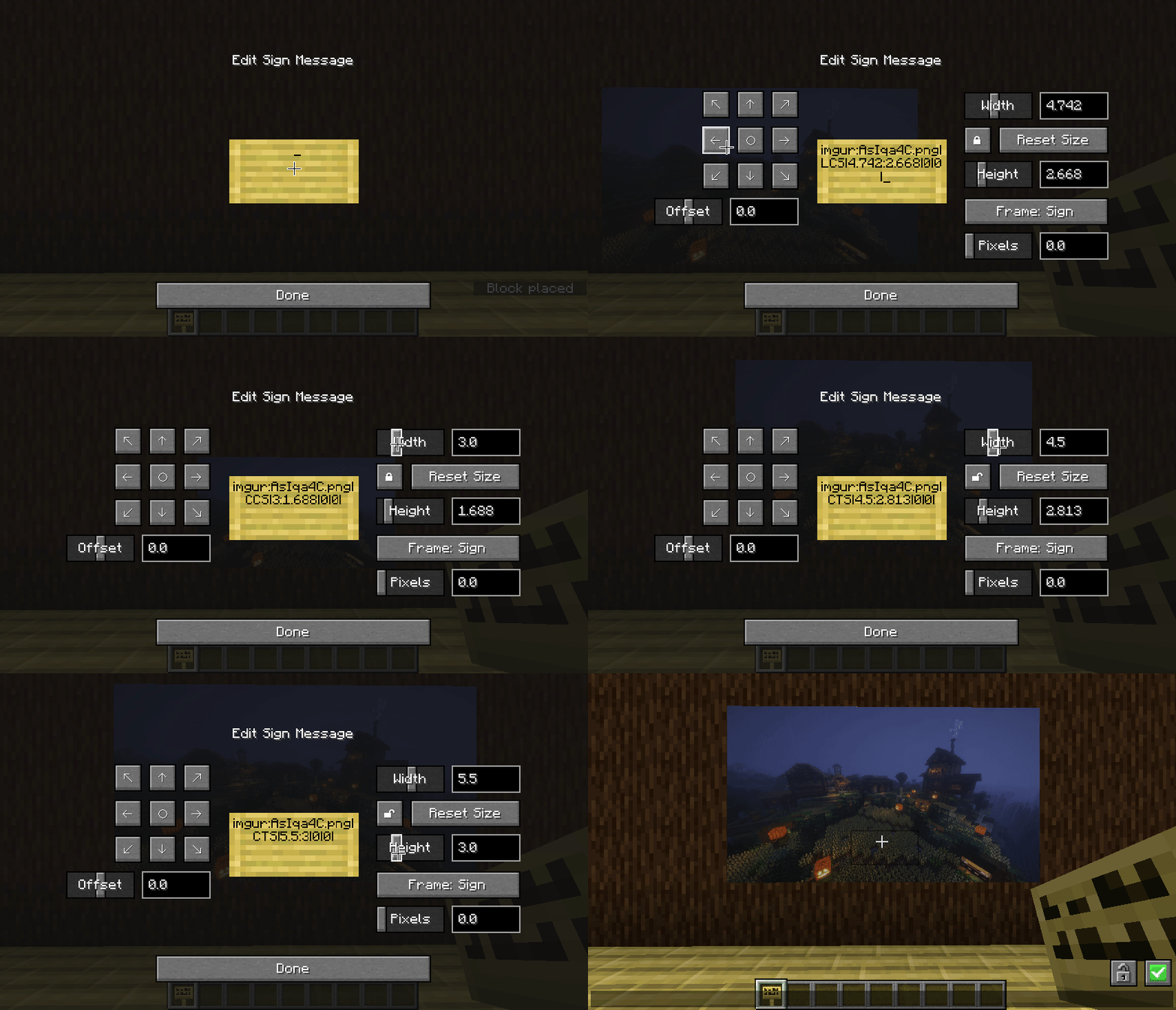
Commands:
/paintings:toggle all|banners|shields|signs - toggles rendering for images
/paintings:toggle culling - makes signs visible from further away, at the cost of worse fps - use this mod instead if you want a bit more control over the distance
/paintings:status all| - gets info about what images are currently loaded
/paintings:upload - upload an image from a url to imgur
if someone is being annoying, you can stop specific links from rendering:
/paintings:block add - blocks a specific image, stopping it rendering
/paintings:block remove all| - unblocks a specific image or all blocked images
/paintings:block list - lists all blocked links
/paintings:block auto - automatically blocks newly loading links
From The Fog
Command
/function fromthefog:admin/config
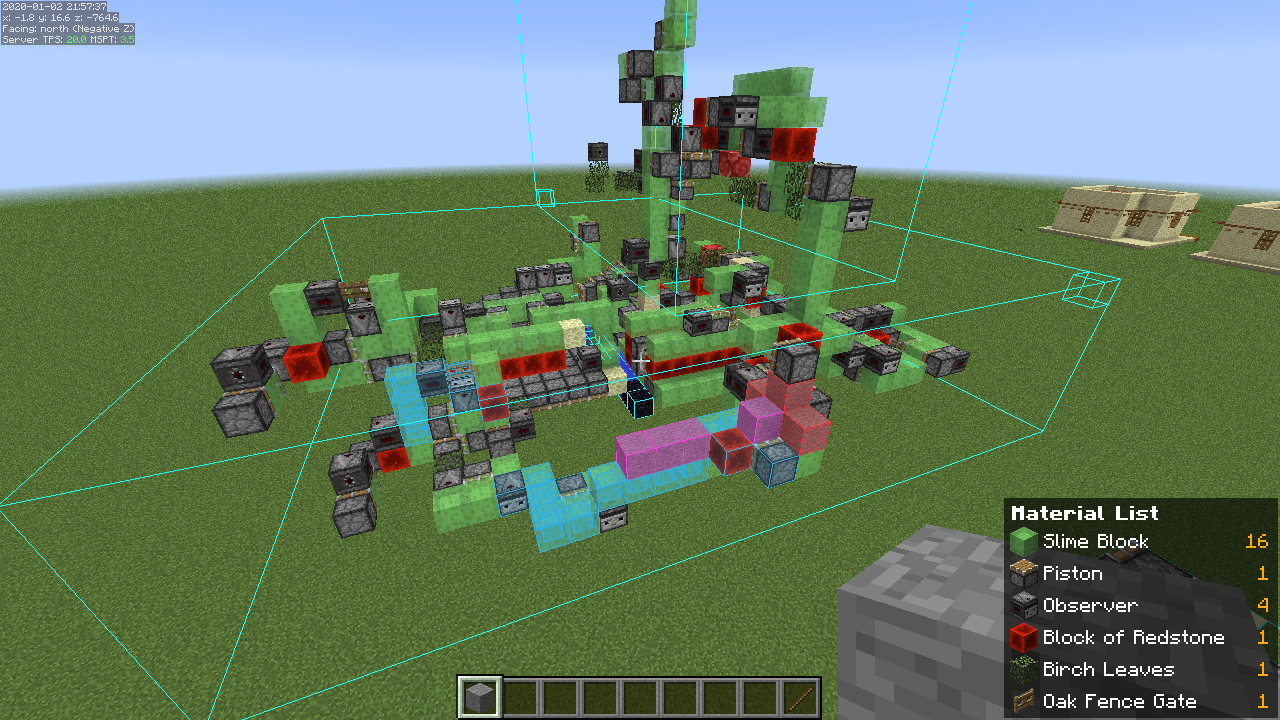
See the settings here → Litematica
Co-op with voice chatA quick guide to playing with friends using voice chat.
- Download Radmin VPN from the link.
- In the application, click on "Network", then "Create a network". Come up with a name and password for your network.
- Your friends should join this network.
- If you are a server, copy your IP address to Radmin VPN.
- In your world, click "Open to LAN" (or "Start LAN World").
- Messages will appear in the chat, but you only need the "Port".
- Participants must enter your IP address (point 4) and port (point 6).
Here's how it should look (it will be different for you): 26.60.23.154:51105
Is it done!
Bugs? ¯\_(ツ)_/¯p.s.s.
If there are any problems, I won't be able to help you))
⠛⠛⣿⣿⣿⣿⣿⡷⢶⣦⣶⣶⣤⣤⣤⣀
⠀⠀⠀⣿⣿⣿⣿⣿⣿⣿⣿⣿⣿⣿⣿⣿⣿⣷⡀
⠀⠀⠀⠉⠉⠉⠙⠻⣿⣿⠿⠿⠛⠛⠛⠻⣿⣿⣇
⠀⠀⢤⣀⣀⣀⠀⠀⢸⣷⡄⠀⣀⣤⣴⣿⣿⣿⣆
⠀⠀⠀⠀⠹⠏⠀⠀⠀⣿⣧⠀⠹⣿⣿⣿⣿⣿⡿⣿
⠀⠀⠀⠀⠀⠀⠀⠀⠀⠛⠿⠇⢀⣼⣿⣿⠛⢯⡿⡟
⠀⠀⠀⠀⠀⠀⠀⠀⠀⠛⠿⠇⢀⣼⣿⣿⠛⢯⡿⡟
⠀⠀⠀⠀⠀⠀⠀⠀⠀⠀⠦⠴⢿⢿⣿⡿⠷⠀⣿
⠀⠀⠀⠀⠀⠀⠀⠙⣷⣶⣶⣤⣤⣤⣤⣤⣶⣦⠃
⠀⠀⠀⠀⠀⠀⠀⠈⣿⣿⣿⣿⣿⣿⣿⣿⣿⡇
⠀⠀⠀⠀⠀⠀⠀⠀⠀⠙⠻⢿⣿⣿⣿⣿⠟⠁
- Edition: Minecraft Java
- File type: .jar
- Minecraft version listed: 1.21.1
- How to install: Install the matching mod loader (Forge, Fabric or NeoForge) for your Minecraft version. → Download the .jar. → Put it in the .minecraft/mods folder and launch that loader profile.
- Where to get it: Opens on Modrinth — not every file is mirrored on our own servers.
Install steps are the general flow for this file type — How to install Minecraft Java mods & modpacks walks through it step by step.
- Downloads as MoreMods 1.0.0.mrpack
- Download size: 32.3 MB
- Download link checked 7 Sept 2026 — working
These come from our own check of the pack file, not from the source page.