


Modrinthium
Modrinthium builds on the visual and performance enhancements of Super Good Looking (by me) while introducing a variety of world generation mods that redefine the way you explore. From reimagined landscapes to more intricate structures, Modrinthium transforms Minecraft into a more vibrant, diverse world for adventurers and builders.
Key Features:
- Enhanced World Generation: Explore new and breathtaking biomes with mods like Tectonic, Terralith, and Structory, offering a richer, more detailed overworld.
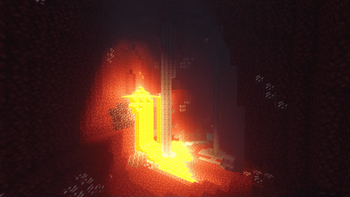
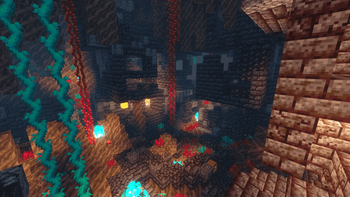
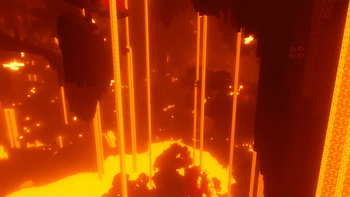
- The Nether and the End: Discover an upgraded Nether with Nether 3.0. In the End, experience the otherworldly landscapes of Nullscape, which completely overhauls the dimension.
- Moog's Structures: Encounter unique builds with Moog's Voyager Structures, Moog's Nether Structures, and Moog's End Structures, adding depth and variety to your explorations.
- YUNG's Mods: Explore new bridges with YUNG's Bridges.
- Visual Excellence: Powered by the same visual mods as Super Good Looking, including Iris Shaders and Complementary Reimagined, Modrinthium ensures the game looks stunning while maintaining excellent performance with Sodium.
- Immersive Sound and Animation: Experience enhanced sounds and animations with Sound Physics Remastered and Ambient Sounds, bringing your Minecraft world to life.
- Entity and Lighting Improvements: Enjoy refined rendering of entities through Entity Texture Features, along with dynamic lighting from LambDynamicLights.
- Optimized Performance: Sodium and Lithium, alongside Krypton and FerriteCore, ensure smooth gameplay, even in the most complex environments.
IterationT was created by Tahnass.
Quick facts
- Edition: Minecraft Java
- File type: .jar
- Minecraft version listed: 1.20.1
- How to install: Install the matching mod loader (Forge, Fabric or NeoForge) for your Minecraft version. → Download the .jar. → Put it in the .minecraft/mods folder and launch that loader profile.
- Where to get it: Opens on Modrinth — not every file is mirrored on our own servers.
Install steps are the general flow for this file type — How to install Minecraft Java mods & modpacks walks through it step by step.
Verified by MCModsHub
- Downloads as Modrinthium 1.0.0.mrpack
- Download size: 33.5 MB
- Download link checked 7 Sept 2026 — working
These come from our own check of the pack file, not from the source page.