
Smoothify
Experience lightning-fast gameplay with our optimized Fabric modpack, designed to enhance performance and reduce lag. Packed with quality-of-life…
⬇ Download on Modrinth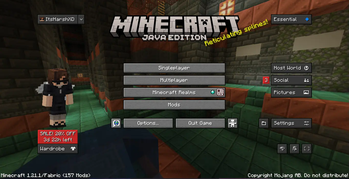


Smoothify: Ultimate Performance Boost

Overview
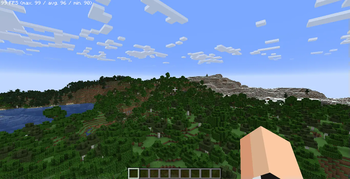
Experience lightning-fast gameplay with our optimized Fabric modpack, designed to enhance performance and reduce lag. Packed with quality-of-life improvements, it ensures a smoother, more efficient Minecraft experience without sacrificing the fun!
Features
- Performance Optimization: Tweaked settings to maximize FPS and minimize stuttering, even with heavy mod use.
- Quality of Life Enhancements: Small but impactful tweaks for a better gaming experience.
- Lag Reduction: Enhanced memory management, better garbage collection, and system resource optimizations.
- Optifine Textures/Models Support: Enjoy full compatibility with Optifine textures and models.
- Optifine Features: Includes all Optifine features for enhanced graphics and smoother gameplay.
- Shaders Support: Add stunning shaders to your world for more immersive visuals.
- Cape Integration: Access your capes from your favorite providers with ease.
Frequently Asked Questions
How do I update mods within the modpack?
Updating mods using the Modrinth launcher is simple. Just click the "Update" button in the launcher, and it will automatically update all mods if any updates are available.How can I address issues I encounter while using the modpack?
If you encounter any bugs or issues, you can seek support from us on our Discord server.
Notes
This modpack is built to run smoothly on most modern systems. However, you can adjust the memory settings based on your system’s available RAM.
Support
Get the fastest support from our team regarding this modpack and our other services on our Discord server.
Enjoy a faster, smoother Minecraft experience!
- Edition: Minecraft Java
- File type: .jar
- Minecraft version listed: 1.21.1
- How to install: Install the matching mod loader (Forge, Fabric or NeoForge) for your Minecraft version. → Download the .jar. → Put it in the .minecraft/mods folder and launch that loader profile.
- Where to get it: Opens on Modrinth — not every file is mirrored on our own servers.
Install steps are the general flow for this file type — How to install Minecraft Java mods & modpacks walks through it step by step.
- Downloads as Smoothify Build 1a.mrpack
- Download size: 31 KB
- Download link checked 7 Sept 2026 — working
These come from our own check of the pack file, not from the source page.