

Drop In

A modpack with the aim of being a drop-in replacement for Vanilla minecraft, in a similar way to OptiFine.
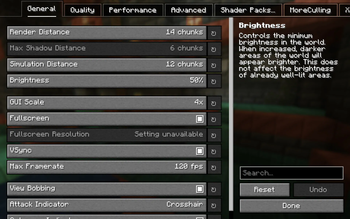
Drop In significantly enhances the performance of the game (including the stuttering), adds almost all of OptiFine's features, fixes some aspects of the game (bugs, for example), and makes some things overall prettier!
Features
- Almost all of OptiFine's features (CIT, capes, zoom, etc...)
- Stuttering highly dampened
- FPS significantly increased
- Loading times / memory usage significantly decreased
- Blink-and-you'll-miss-it fast chunk generation
- Network performance increased
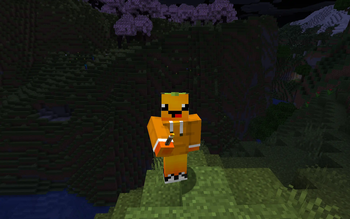
- Shader support (Drop In comes pre-installed with Miniature Shader as an optional low-impact shader)
- Highly customizable LAN that can be shared to anyone inside/outside your network
- Bug fixes / General fixes
- Dynamic Lights
- Bushy Leaves (that are highly performant - the performance impact is negligible)
- Some aspects have been prettied up (leaves / animations)
Upcoming features:
- Huge performance increase on Nvdia GPUs (thanks to Nvidium)
- Perfect biome blend with no performance impact (using something like Better Biome Reblend)
Basically, the aim of this is to have a drop-in (hence the name) replacement for vanilla minecraft that keeps the game like it is now, while simply trying to fixing all of it's shortcomings.
Quick facts
- Edition: Minecraft Java
- File type: .jar
- Minecraft version listed: 1.21
- How to install: Install the matching mod loader (Forge, Fabric or NeoForge) for your Minecraft version. → Download the .jar. → Put it in the .minecraft/mods folder and launch that loader profile.
- Where to get it: Opens on Modrinth — not every file is mirrored on our own servers.
Install steps are the general flow for this file type — How to install Minecraft Java mods & modpacks walks through it step by step.
Verified by MCModsHub
- Downloads as Drop In.mrpack
- Download size: 44 KB
- Download link checked 8 Sept 2026 — working
These come from our own check of the pack file, not from the source page.