


Is Your Computer Too Slow Or Is Minecraft Not What You Like It To Be?
Well Look No Further!
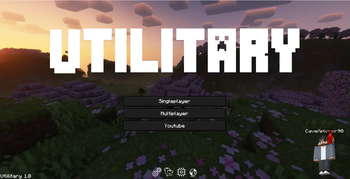
This Modpack Or Client as I like to call it, is the perfect balance of Performance and Utility. It Has a Bunch of features for every sort of Minecraft player out there! It is to be noted that this modpack is still in it's early stages.

- Double your FPS with multiple Performance mod like Sodium and Sodium Extra
- Want to completely hide your Armor or want to make it translucent? Now you can do that by pressing [K].
- Add your own shader by going into options > shaders > open Shaderpack folder and then paste your shader into the folder.
- Render Distance up to 64 Chunks without Optifine
- Connected Textures
- Better sounds for footsteps
- Dark theme for people who don't like the default GUI
And MUCH MUCH MORE!

Vanilla Tweaks: https://vanillatweaks.net
Default Dark Mode: https://www.curseforge.com/minecraft/texture-packs/default-dark-mode
Icons were from icons8: https://icons8.com/icons
Be sure to check them out!
Quick facts
- Edition: Minecraft Java
- File type: .jar
- Minecraft version listed: 1.20.1
- How to install: Install the matching mod loader (Forge, Fabric or NeoForge) for your Minecraft version. → Download the .jar. → Put it in the .minecraft/mods folder and launch that loader profile.
- Where to get it: Opens on Modrinth — not every file is mirrored on our own servers.
Install steps are the general flow for this file type — How to install Minecraft Java mods & modpacks walks through it step by step.
Verified by MCModsHub
- Downloads as Utilitary.mrpack
- Download size: 64.7 MB
- Download link checked 8 Sept 2026 — working
These come from our own check of the pack file, not from the source page.