
Yelle's Optimization
Dive into the world of Minecraft with a smoother, faster, and more responsive gameplay experience using my expertly crafted FPS optimization modpack.
⬇ Download on Modrinth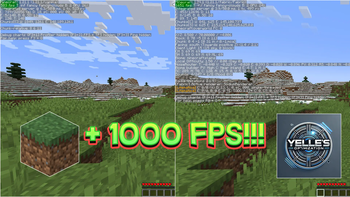
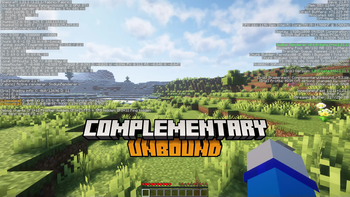
!!!!!!!!!!!! CHECK IMAGES !!!!!!!!!!!!!
Boost Your Minecraft Experience with Our FPS Optimization Modpack!
Dive into the world of Minecraft with a smoother, faster, and more responsive gameplay experience using my expertly crafted FPS optimization modpack. Designed with performance in mind, this modpack is perfect for players who want to maximize their game’s efficiency while preserving the visual charm and immersive fun Minecraft is known for.
Key Features:
1: Performance Enhancements:
Advanced Optimization Mods: Includes popular tools like Sodium, Lithium, and Phosphor for enhanced rendering and lighting efficiency. Memory Management Improvements: Optimizes game memory usage to minimize lag spikes.
2: FPS Boost:
Tweaks engine settings to maximize frame rates even on low-end PCs. Reduces unnecessary resource consumption while ensuring smooth gameplay.
3: Customizable Settings:
Easy-to-navigate settings for users to fine-tune performance based on their system's capabilities. Pre-configured profiles for optimal gameplay with a single click.
4: Enhanced Visuals Without Compromise:
Keep the game’s aesthetic with resource pack compatibility and smoother textures. Anti-aliasing and rendering enhancements tailored for performance-focused builds.
5: Multiplayer Ready:
Fully compatible with popular servers and multiplayer environments. Plug-and-Play Simplicity:
Simple installation process for players of all experience levels. Comprehensive guide included to get you started quickly. Why Choose This Modpack? Whether you're a seasoned builder, an adventurous explorer, or a competitive PvPer, this modpack ensures your Minecraft runs at peak performance, letting you focus on what truly matters—enjoying the game. Say goodbye to frustrating frame drops and hello to buttery-smooth gameplay!
Download now and unlock the true potential of your Minecraft experience!
- Edition: Minecraft Java
- File type: .jar
- Minecraft version listed: 1.21.3
- How to install: Install the matching mod loader (Forge, Fabric or NeoForge) for your Minecraft version. → Download the .jar. → Put it in the .minecraft/mods folder and launch that loader profile.
- Where to get it: Opens on Modrinth — not every file is mirrored on our own servers.
Install steps are the general flow for this file type — How to install Minecraft Java mods & modpacks walks through it step by step.
- Downloads as Yelle's Optimization 1.0.0.mrpack
- Download size: 761 KB
- Download link checked 9 Sept 2026 — working
These come from our own check of the pack file, not from the source page.