
Create and Additions
Java modpack listed for Minecraft 1.20. Downloads from the MC Java Mods app on Android.
⬇ Download on Modrinth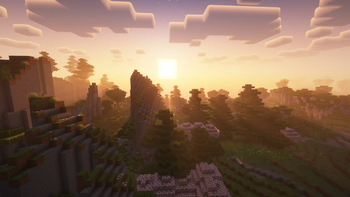
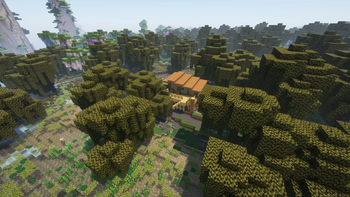
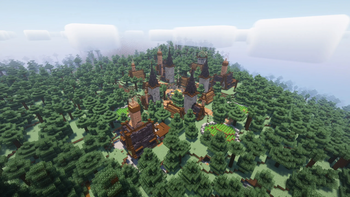
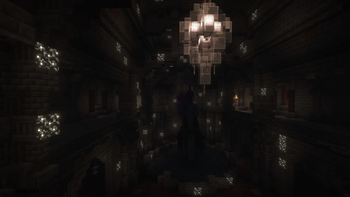
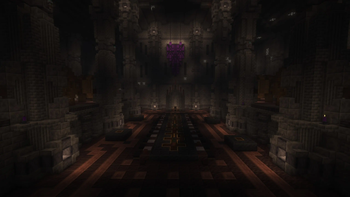
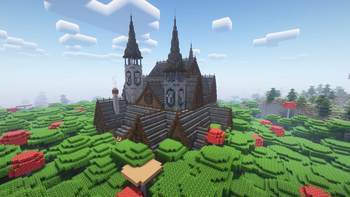
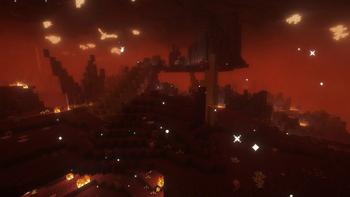
This modpack is inspired by Raspberry Flavored and Bliss, designed for those who want an improved vanilla experience without departing from the atmosphere of Minecraft. At the core is Create, offering advanced mechanisms, automation and incredible buildings, as well as the best vanilla+ mods, expanding the game world with new biomes, blocks and mechanics!
🔹 New biomes and environments 🌿 – Nature’s Spirit, Galosphere, Cinderscapes and End's Phantasm add picturesque forests, caves and underground wonders.
🔹 New bosses ⚔️ – BOMD and Ultris add epic battles that require tactics and preparation!
🔹 Changed progression 🛠️ – Eyes of Ender and enchantments are now obtained in a new way, making progression more interesting.
🔹 Expanded mechanics and decor 🏡 – Supplementaries bring interactive items, and Farmer’s Delight makes farming more in-depth.
🔹 Changed method of obtaining alloys 🔥 – now netherite and electrum are obtained by casting through Create: Molten Metals!
🔹 Create unique panoramas! 📸 – the ability to take panoramic screenshots and install them in the download menu, making the modpack even more personalized.
🔹 Draw in Minecraft! 🎨 – Joy of Painting allows you to draw directly in the game or import pixel images and hang them like paintings!
🔹 High-quality optimization and QoL mods ⚡
🔹 Built-in shaders ✨
Explore, build and automate with Create and Additions!
In order for Integrated Stronghold and End Remastered to work correctly, also install this datapack https://www.curseforge.com/minecraft/texture-packs/integrated-stronghold-end-remastered-integration
Credits: xali's Enhanced Jungle Wood by xalixilax - https://www.curseforge.com/minecraft/texture-packs/xalis-enhanced-jungle-wood
Panorama mod by SWDTeam - https://www.curseforge.com/minecraft/mc-mods/panorama
Adjusted Acacia by careeoki - https://www.planetminecraft.com/texture-pack/adjusted-acacia/
- Edition: Minecraft Java
- File type: .jar
- Minecraft version listed: 1.20.1
- How to install: Install the matching mod loader (Forge, Fabric or NeoForge) for your Minecraft version. → Download the .jar. → Put it in the .minecraft/mods folder and launch that loader profile.
- Where to get it: Opens on Modrinth — not every file is mirrored on our own servers.
Install steps are the general flow for this file type — How to install Minecraft Java mods & modpacks walks through it step by step.
- Downloads as Create and Additions 1.0.mrpack
- Download size: 8.8 MB
- Download link checked 19 Oct 2026 — working
These come from our own check of the pack file, not from the source page.