
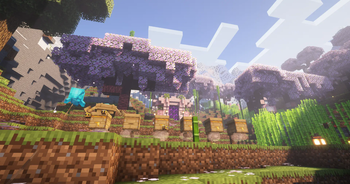
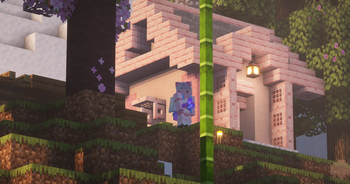
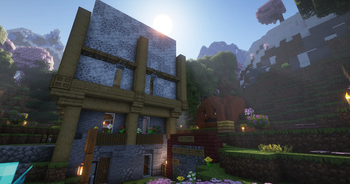
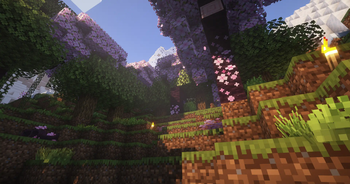
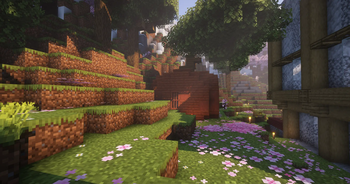

Lightweight modpack to increase FPS and improve user experience.
Essentials Mod allows you to connect to each other without a server or opening ports.
Mods such as Sodium, Indium, Entity Culling and ImmediatelyFast will improve your FPS and provide a smooth experience.
And mods like Iris Shaders, Bridging Mod, Continuity, AppleSkin, and Tiny Item Animations will add color to your world, making your experience incredibly enjoyable as the mods not only add useful features but also enhance graphics with shaders.
Continuity Version 3.0.0-beta.4+1.20.2
YetAnotherConfigLib Version 3.3.2+1.20.4-fabric
[EMF] Entity Model Features Version 1.3
ImmediatelyFast Version 1.2.8+1.20.4-fabric
Cloth Config API Version 13.0.121+fabric
Sodium Version mc1.20.3-0.5.5
[ETF] Entity Texture Features Version 5.2.3
Reese's Sodium Options Version mc1.20.2-1.7.0
AppleSkin Version 2.5.1+mc1.20.3
Starlight (Fabric) Version 1.1.3+1.20.4
Complementary Shaders
Reimagined Version r5.1.1
Complementary Shaders
Reimagined Version r2.3
Fabric Language Kotlin Version 1.10.17+kotlin.1.9.22
Entity Culling Version 1.6.3.1-1.20.4
Memory Leak Fix Version v1.1.5
Inventory Profiles Next Version fabric-1.20.3-1.10.10
Indium Version 1.0.28+mc1.20.4
Fabric API Version 0.92.1+1.20.4
Sodium Extra Version mc1.20.2-0.5.3
Complementary Shaders
Unbound Version r5.1.1
Iris Shaders Version 1.6.14+1.20.4
RandomBlockPlacement Version 1.20.4-fabric0.91.2-1.1.4
Collective Version 1.20.4-7.40-fabric+forge+neo
Lithium Version mc1.20.4-0.12.1
ESSENTIAL Mod Version 1.3.1.2
Rethinking Voxels Version 18d
Bridging Mod Version 2.3.0+1.20.4.fabric
Architectury API Version 11.0.11+fabric
Mod Menu Version 9.0.0
Roughly Enough Items (REI) Version 14.0.688+fabric
Forge Config API Port Version v20.4.3-1.20.4-Fabric
libIPN Version fabric-1.20.4-4.0.2
Presence Footsteps Version 1.11.1
Language Reload Version 1.5.10+1.20.3
Tiny Item Animations Version 1.20-1.1
- Edition: Minecraft Java
- File type: .jar
- Minecraft version listed: 1.20.4
- How to install: Install the matching mod loader (Forge, Fabric or NeoForge) for your Minecraft version. → Download the .jar. → Put it in the .minecraft/mods folder and launch that loader profile.
- Where to get it: Opens on Modrinth — not every file is mirrored on our own servers.
Install steps are the general flow for this file type — How to install Minecraft Java mods & modpacks walks through it step by step.
- Downloads as MT Together with Friends 1.0.0.mrpack
- Download size: 6 KB
- Download link checked 9 Sept 2026 — working
These come from our own check of the pack file, not from the source page.