
Optimized Vanilla+
Java resource pack listed for Minecraft 1.20. Downloads from the MC Java Mods app on Android.
Optimizes the Vanilla models to increase performance without affecting the appearance of the game by removing hidden faces and adding more cullfaces.
⬇ Download on Modrinth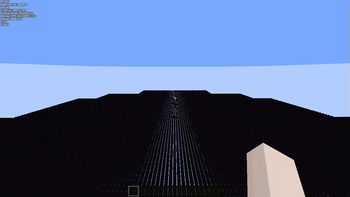
If you have problems, you can talk to me on discord.
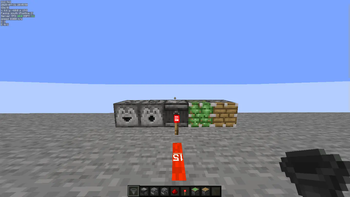
this texture pack is made to optimize minecraft, it fixes some things, like the collisions of some blocks, less particles, optimizes the chests so it doesn't give so many fps drops and if you combine it with “Enhanced Block Entities” it will be a better result, and if you play “technical minecraft” add directions to the redstone blocks,
"Optimizes the Vanilla models to increase performance without affecting the appearance of the game by removing hidden faces and adding more cullfaces.
Tested in a superflat world of a single layer of Dragon Eggs (an especially expensive model to render and one that was significantly improved), it increases FPS by about 21%." --> is from this creator, it is combining with the mi texture pack "Optimized Models" But it is currently archived and will have no updates, so I will do my best to keep it.
How does it improve performance? Remove invisible faces from blocks.
Use more cull faces (so that unnecessary faces are not rendered).
Increases FPS especially in worlds with heavy blocks like Dragon Egg.
In tests, it can improve up to 21% FPS in specific situations.
Who is it useful for?
For PC gamers with low resources or who want more FPS.
For those who use heavy mods or shaders and want to lighten the load.
To keep the vanilla style without losing performance.
Disadvantages
It is not compatible with 1.21 or future versions, unless manually upgraded.
Does not improve all blocks, only the most common or problematic ones.
No longer officially supported (archived project).
- Edition: Minecraft Java
- File type: .zip (resource pack)
- Minecraft version listed: 1.20.1
- How to install: Download the .zip resource pack — do not unzip it. → Put it in .minecraft/resourcepacks. → Enable it in Options → Resource Packs.
- Where to get it: Opens on Modrinth — not every file is mirrored on our own servers.
Install steps are the general flow for this file type — How to install Minecraft Java resource packs walks through it step by step.
- Downloads as 1Luiissss-Release.zip
- Download size: 21.9 MB
- Download link checked 1 Nov 2026 — working
These come from our own check of the pack file, not from the source page.