



This resource pack requires OptiFine 1.18.1_HD_U_H5 and above
Note: Optifine 1.21.4 broke skybox blending so this resource pack will not work in 1.21.4 and later.
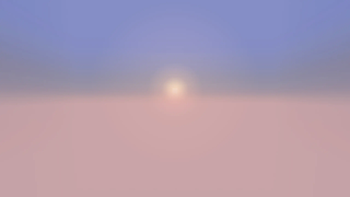
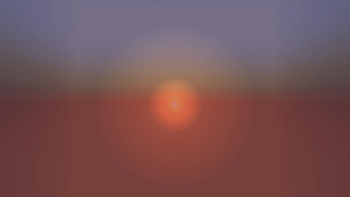
Sunset and Sunrise: The sunset / sunrise looks more detailed with the reddish gradient to yellow and the transitioning from the day sky to the night sky.
Sun: The sun will look smaller than the vanilla version to fit more into reality. It will also have a glare during daytime.
Moon: The moon will go through phases like real life and make one full cycle in 30 Minecraft Days. The moon moves slightly slower than the sun. As the moon transitions from full moon to new moon, the daytime appearance will look more transparent. The earthshine can be faintly seen near the new moon phase and fades out as the phase changes to full moon.
Atmosphere: There is the Earth's atmosphere where daytime has the fog near the horizon. It is more difficult to spot the moon near the daytime horizon than when it is overhead. The atmosphere is what gives that beautiful view of sunsets and sunrises where the sun is near the horizon. During nighttime, the moon will appear reddish near the horizon and turn to a goldish color then to the regular version.
Weather: The sun will be partially visible during rainy weather along with sunrises / sunsets while the moon will be invisible. However, they will disappear during a thunderstorm.
Stars: During the night sky, the moon phase determines the number of stars in the night sky. Many stars will appear during new moon and little stars will appear during full moon.
Eclipses: Eclipses appear in the newer versions of the resource pack at Day 14 and 60 recurring days afterwards.
Video Preview: https://www.youtube.com/watch?v=oYQHOZEfnJc
- Edition: Minecraft Java
- File type: .zip (resource pack)
- Minecraft versions listed: 1.19, 1.19.1, 1.19.2
- How to install: Download the .zip resource pack — do not unzip it. → Put it in .minecraft/resourcepacks. → Enable it in Options → Resource Packs.
- Where to get it: Opens on Modrinth — not every file is mirrored on our own servers.
Install steps are the general flow for this file type — How to install Minecraft Java resource packs walks through it step by step.
- Downloads as Skies+of+Reality+(V1.1.1).zip
- Download size: 11.6 MB
- Download link checked 31 Aug 2026 — working
These come from our own check of the pack file, not from the source page.