
Minebox Gray Crops
Java resource pack listed for Minecraft 1.21. Downloads from the MC Java Mods app on Android.
Makes immature crops gray for easy field management. Includes Respackopts customization for selective crop appearance control.
⬇ Download on Modrinth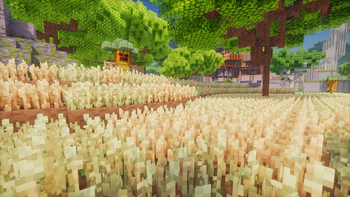
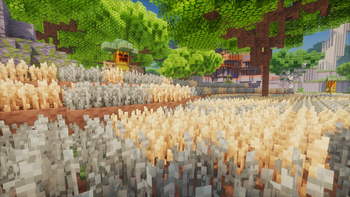
This is an add-on for Minebox Plus that visually improves crop recognition during farming.
It changes the appearance of immature (not fully grown) crops to a gray tint, allowing players to easily identify which parts of their field have not yet matured.
This small but practical tweak helps you harvest efficiently without constantly checking each plant’s growth stage.
Want to customize the look of specific crops only?
You can do that easily using the Respackopts Mod!
With it installed, you’ll gain access to detailed configuration options, enabling you to adjust or disable the gray tint for individual crops — giving you full control over how the add-on behaves.
🌐 Language Support
All configuration options and in-game settings are available in English (EN), Polish (PL), and French (FR).
Language is automatically detected based on your Minecraft language settings.
Note:
If you’re already using Minebox Plus together with the Respackopts Mod, you don’t need to install this add-on separately.
Starting from Minebox Plus v3.0.0, this feature is built directly into the main resource pack, available under the Crops Settings tab within the pack’s options.
🌐 Minebox Server (Server Page)
Minebox combines MMORPG, Skyblock gameplay into a unique experience.
Explore uncharted islands, gather rare materials, and battle powerful creatures — all while discovering a world full of secrets and adventure.
🌍 Minebox Community
Want to explore more community-driven projects, add-ons, and useful systems for Minebox?
Visit mineboxcommunity.com — a central hub for everything related to Minebox.
There you’ll find a growing collection of resources, guides, and packs created by both developers and players, all aimed at enhancing and expanding the Minebox experience.
- Edition: Minecraft Java
- File type: .zip (resource pack)
- Minecraft versions listed: 1.21.2, 1.21.3, 1.21.4
- How to install: Download the .zip resource pack — do not unzip it. → Put it in .minecraft/resourcepacks. → Enable it in Options → Resource Packs.
- Where to get it: Opens on Modrinth — not every file is mirrored on our own servers.
Install steps are the general flow for this file type — How to install Minecraft Java resource packs walks through it step by step.
- Downloads as Minebox Gray Crops.zip
- Download size: 123 KB
- Download link checked 1 Nov 2026 — working
These come from our own check of the pack file, not from the source page.