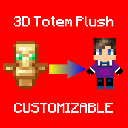
What Is This?
This Is a Resource Pack That Contains a Customizable 3D Totem Plush Orginally Inspired By styv14's Totem Plush. You Might Call This Project a Better & Improved Version Of His 3D Totem Plush
How To Change Skin?
First, Unzip The Resource Pack In Your resourcepacks Folder, Then Go Inside The Pack Folder & Go To assets\minecraft\textures\item Then, Copy The Name Of The Texture File & Delete It. Then Put Your Skin In The Directory & Replace The Name Of Your Skin With The Name You Copied (plush_totem_of_undying.png)\
Tada! Your Skin Should Appear On The Totem Plush & It Should Be Ready To Use!
FAQ
- Why Does The Pack Show "Incompatible Version" & Is Red?
- Ans: You Might Be On a Version That Is Not Listed Inside The Pack So It Shows Up As Incompatible Version. You Should Try It First Then If It Works Then Yay, If It Doesn't... Well Then It Doesn't!
- Edition: Minecraft Java
- File type: .zip (resource pack)
- Minecraft versions listed: 1.16, 1.16.1, 1.16.2
- How to install: Download the .zip resource pack — do not unzip it. → Put it in .minecraft/resourcepacks. → Enable it in Options → Resource Packs.
- Where to get it: Opens on Modrinth — not every file is mirrored on our own servers.
Install steps are the general flow for this file type — How to install Minecraft Java resource packs walks through it step by step.
- Downloads as Totem Plush Wide v1.0.1.zip
- Download size: 12 KB
- Download link checked 31 Aug 2026 — working
These come from our own check of the pack file, not from the source page.