




Info
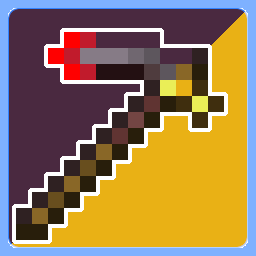
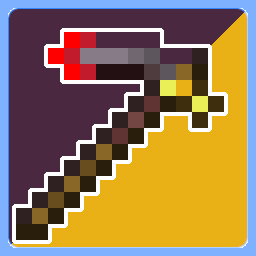
In Version v1.1.1 netherite pickaxe has been retextured
Note that v1.1 adds all tools, but it doesn't mean I'll stop changing this resourcepack!
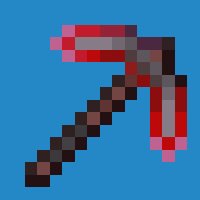
Version v1.1 Adds all tools, including hoes as broken (depending on material's durability)!:
- Golden hoe (most damaged/shortened)
- Wooden hoe (almost most damaged/shortened)
- Stone hoe (slightly damaged/shortened)
- Iron hoe (almost normal)
- Diamond hoe (normal one)
- Netherite hoe (no damage + added more texture on it)

-
Version v1.0.3 Adds shovel, axes, pickaxes, and swords as broken (depending on material's durability)!:
- Golden shovel (most damaged, but added red aura around it)
- Wooden shovel (almost most damaged)
- Stone shovel (slightly damaged)
- Iron shovel (almost normal)
- Diamond shovel (normal one)
- Netherite shovel (no damage + changed texture a little bit)

-
Version v1.0.2 Adds axes, pickaxes, and swords as broken (depending on material's durability)!:
- Golden axe (most damaged, but added red aura around it)
- Wooden axe (almost most damaged)
- Stone axe (slightly damaged)
- Iron axe (almost normal)
- Diamond axe (normal one)
- Netherite axe (no damage + changed texture a little bit)

-
Version v1.0.1 Adds pickaxes and swords as broken (depending on material's durability)!:
- Golden pickaxe (most damaged/shortened)
- Wooden pickaxe (almost most damaged/shortened)
- Stone pickaxe (slightly damaged/shortened)
- Iron pickaxe (almost normal)
- Diamond pickaxe (normal one)
- Netherite pickaxe (no damage + added more texture on it)

-
Version v1.0 Adds all types of tools as broken (depending on material's durability)!:
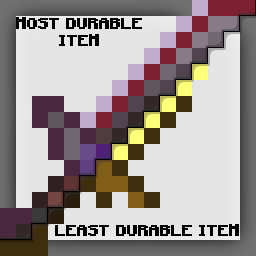
- Golden sword (most damaged)
- Wooden sword (almost most damaged)
- Stone sword (slightly damaged)
- Iron sword (almost normal)
- Diamond sword (changed texture a little bit)
- Netherite sword (no damage + added more texture on it)

WARNING
You can freely use my resourcepack in your videos/images if you credit me :)
- Edition: Minecraft Java
- File type: .zip (resource pack)
- Minecraft versions listed: 1.16, 1.16.1, 1.16.2
- How to install: Download the .zip resource pack — do not unzip it. → Put it in .minecraft/resourcepacks. → Enable it in Options → Resource Packs.
- Where to get it: Opens on Modrinth — not every file is mirrored on our own servers.
Install steps are the general flow for this file type — How to install Minecraft Java resource packs walks through it step by step.
- Downloads as §4Du§Cra§6bi§Eli§Aty §2To§9ol§1ss§0.zip
- Download size: 51 KB
- Download link checked 31 Aug 2026 — working
These come from our own check of the pack file, not from the source page.