
Shaded Caps
This resource pack capitalizes the minecraft font & adds a shading effect to make your font look amazingly tasty. This resource pack was made with…
I don't know my version or loader
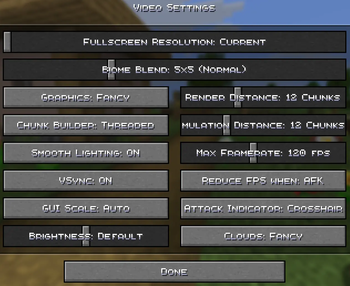
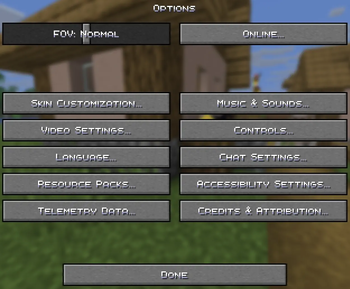
This resource pack capitalizes the minecraft font & adds a shading effect
to make your font look amazingly tasty.

This resource pack was made with inspiration from the 2 following resource packs
so if you want either of them without the other then click the links below.
philliamm's Shaded Font This adds a shaded effect to the base minecraft font.
qrafty's Capitalized Font This turns all the lowercase letters into smaller capitals.
CREDITS
philliamm - For the font shading idea
qrafty - For the capital font idea
- Edition: Minecraft Java
- File type: .zip (resource pack)
- Minecraft versions listed: 1.20, 1.20.1, 1.20.2
- How to install: Download the .zip resource pack — do not unzip it. → Put it in .minecraft/resourcepacks. → Enable it in Options → Resource Packs.
- Where to get it: Opens on Modrinth — not every file is mirrored on our own servers.
Install steps are the general flow for this file type — How to install Minecraft Java resource packs walks through it step by step.
- Downloads as Shaded Caps 2.0 [1.20.x-1.21.x].zip
- Download size: 8 KB
- Download link checked 31 Aug 2026 — working
These come from our own check of the pack file, not from the source page.